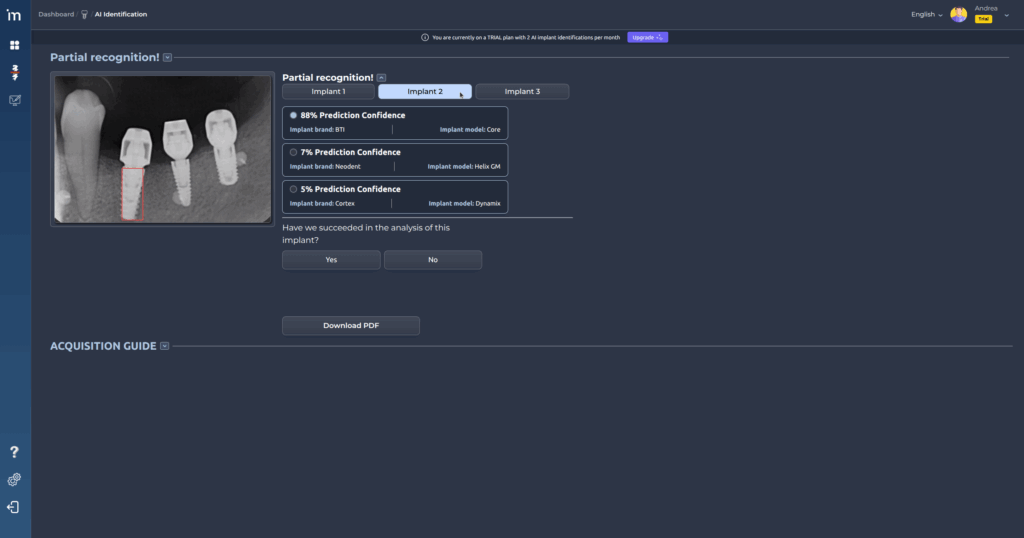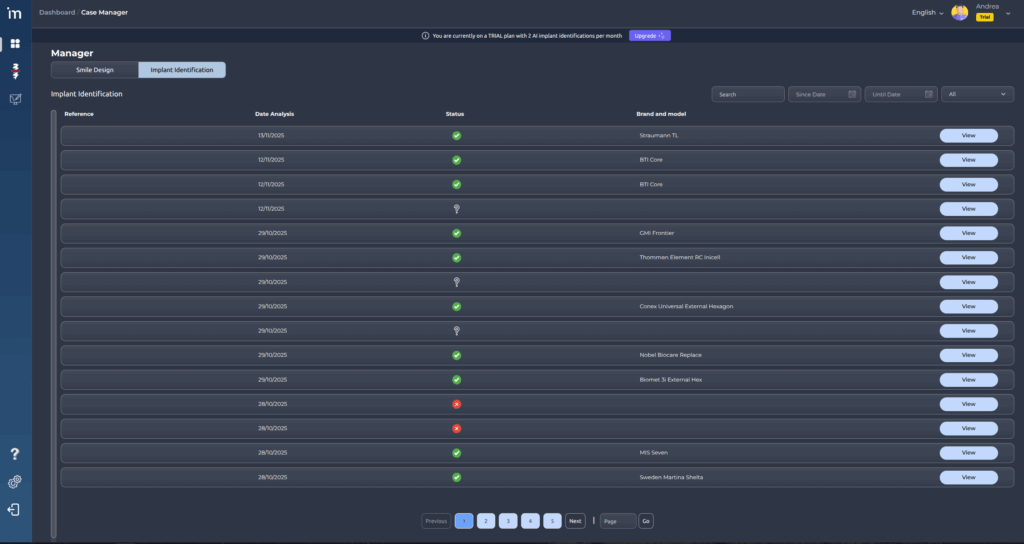
The Implant Identification tab within the Administrator module, selected from the top left corner, displays an interactive table with the analyses performed by the user in the Implant Identification feature.
Here you can view the basic information of each analysis and access the detailed results. The interface is designed to provide a clear and organized overview of all completed studies, with options for searching, filtering, and navigating between pages.
Table Columns
- Reference: unique identifier or internal code of the analysis.
- Analysis Date: the day the study was performed.
- Status: indicates the result or progress of the analysis, which can be:
- Successfully completed.
- Error in the analysis.
- In progress or pending.
- Brand and Model: name of the implant detected in the image (for example, Straumann TL, BTI Core, etc.).
- View Button: opens the detailed analysis screen to review the image, detected model, and additional information.
Filters
At the top right of the table, there are several tools to filter and search for information:
- Search: text field to quickly locate an analysis by its reference.
- From / To: allows narrowing the results by date range.
- Dropdown list: additional filter to display results by status or other criteria.
- All
- Pending
- Resolved (all)
- Resolved and validated: the user has confirmed that the detected brand and model are correct.
- Resolved but not validated: the user has not yet confirmed the detected brand and model.
- Resolved but unknown
When filters are applied, the table automatically updates to display only the analyses that meet the selected criteria.
At the bottom of the table, the current page number is displayed, and navigation buttons allow you to move between different result pages using Previous / Next, or jump to a specific page by entering the page number and clicking Go.
To view the details of a specific analysis, click the View button and the same screen that appears after classifying an implant will be displayed.