
We adapt to your needs
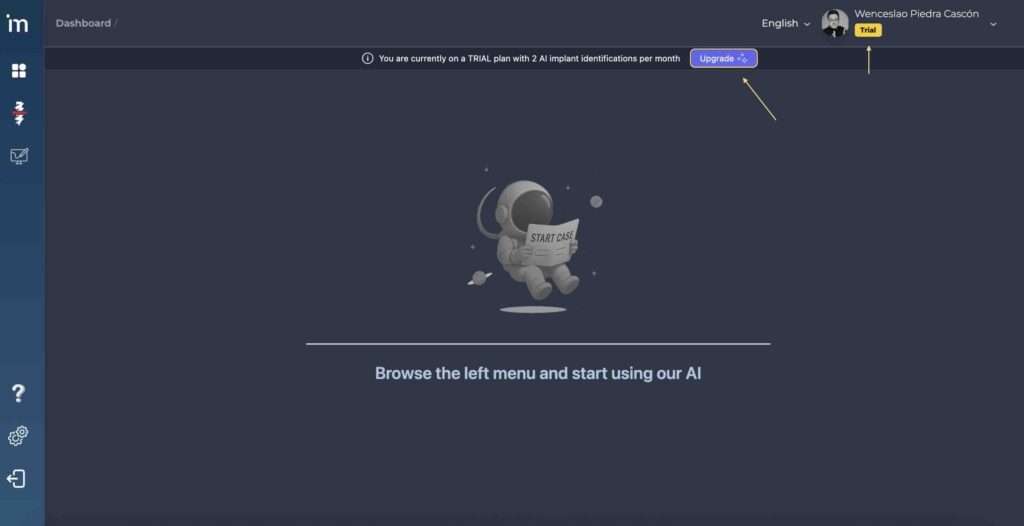
When you create your account in MovumStudio®, you initially obtain an account Trial. You will see the Trial icon below your nickname. However, you may need to improve the functionality of your account. To do this, follow the following steps:
1️⃣ Access your account and click on the purple button Upgrade that you will find on the main screen.
2️⃣ When you click Upgrade, you will be automatically redirected to your user profile where you can modify your subscription, and choose between a subscription Starter or a subscription Custom.
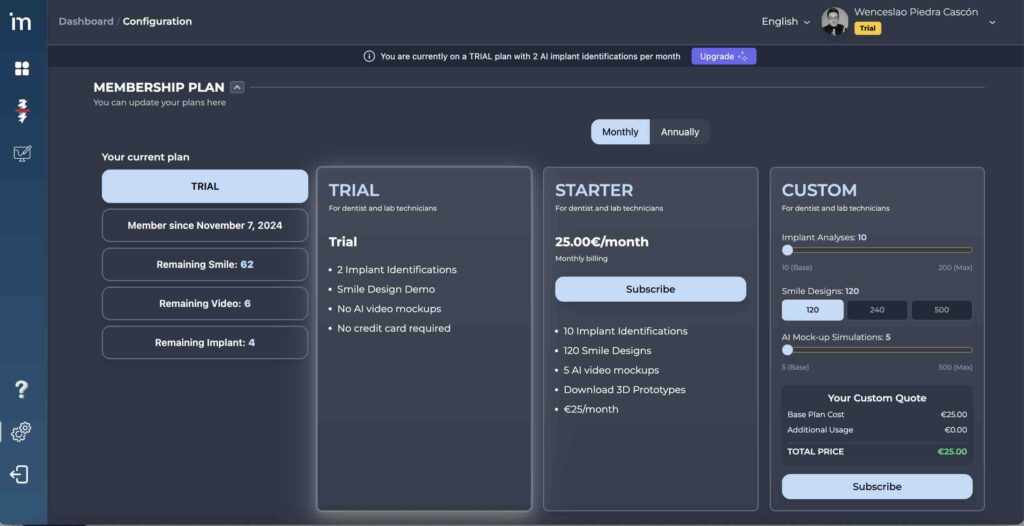
Select billing: Monthly or Annual
Both in the plan Starter like him Custom You have the option to choose between a subscription that renews month by month, or if you decide to pay at once for an entire year of subscription. In the latter case, you will have a discount on the final price of your subscription.
Upgrade: From Trial a Starter
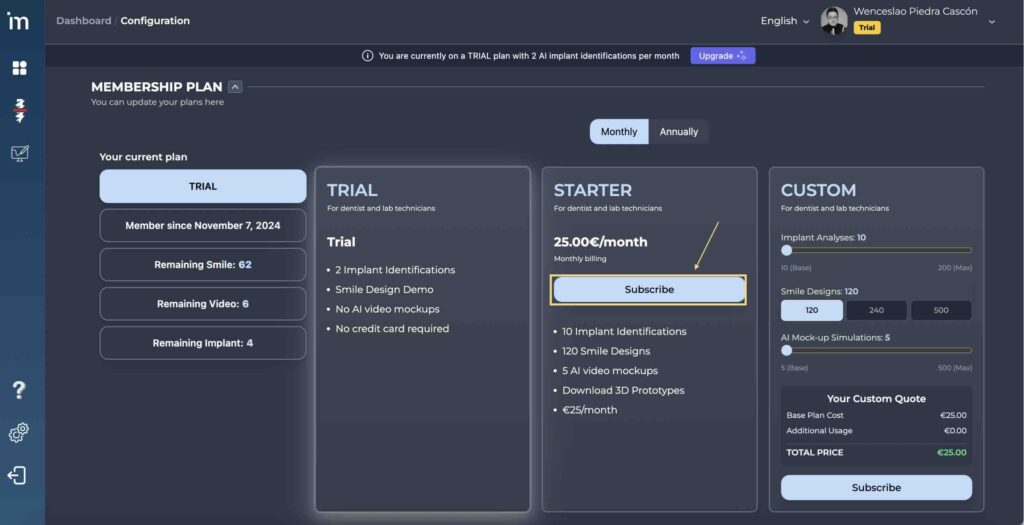
1️⃣ If you want to change Trial a Starter, you must click on the button Subscribe of the subscription Starter.
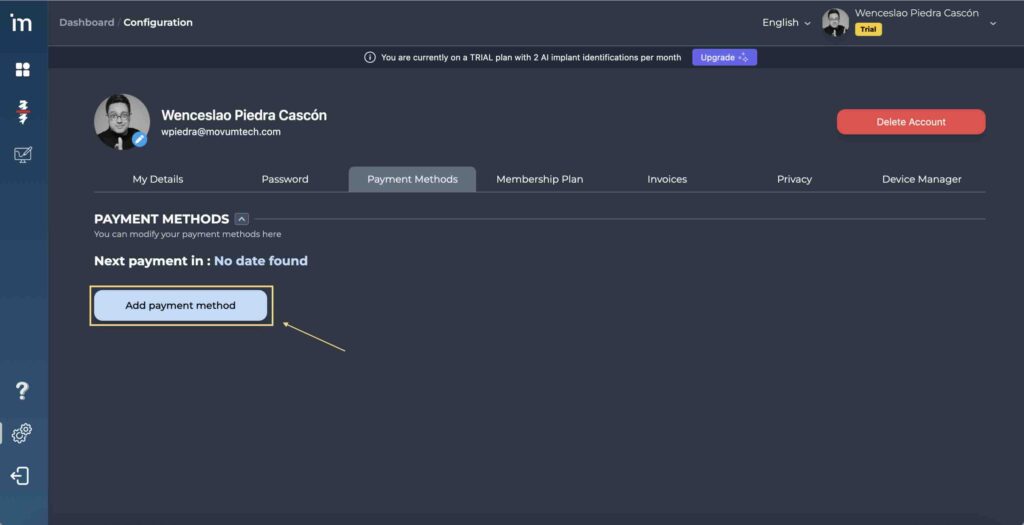
2️⃣ If you don’t have a Payment Method registered in your user profile, you must enter your Credit card to subscribe to the plan Starter.
⚗️ Custom subscription: Custom
Each clinic and laboratory is a world, and we do not want to limit anyone. Therefore, instead of offering you fixed prices, we have decided to give you flexibility and let you design your own subscription.
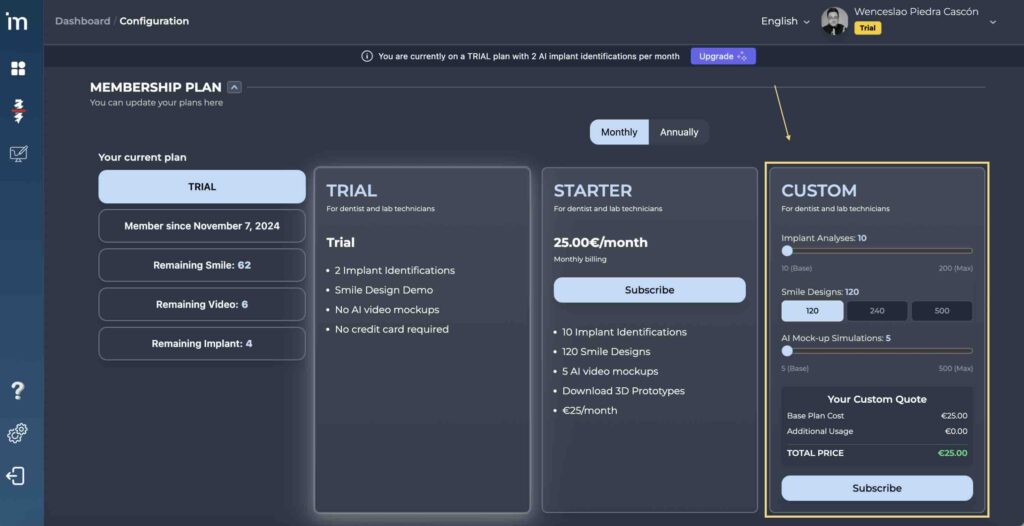
You can add as many implant identifications, smile designs and video simulations with Artificial Intelligence as you need. You will be able to automatically see the price of your subscription and make it effective by clicking on the button “Subscribe”.
ℹ️Frequently Asked Questions
1. Can I downgrade my subscription?
Make a downgrade It means going from an account with certain features to an account with fewer features. The way to do this is by going to your user panel, and in the Subscription Plans hit Cancel.
Your account will have the contracted functionalities until you exhaust them or until the billing period of your subscription ends. From that moment on, you will have an account Trial.
2. Can I receive a refund for my subscription if I cancel before it ends?
No. Refunds are not contemplated since before subscribing to each plan you must have made sure that it suits your needs. If you cancel your subscription, you will have access to its features until the next billing period arrives.
3. If I select an annual subscription, will I have all implant analysis and smile designs + AI video simulation available?
Yes. By subscribing to the annual plan you will have 120 implant identifications, 1,440 smile designs and 60 AI video simulations released at once, so you can manage them however you want.