
It is likely that at some point you will need to change the gallery of photographs or files of your patients.
Step by step
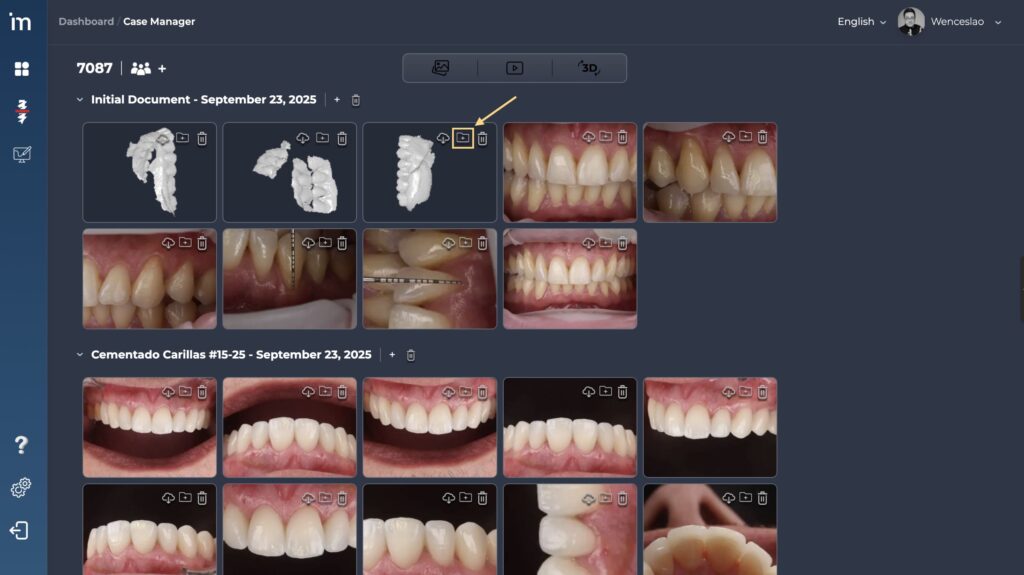
1️⃣ Left click on the folder icon located in the upper right corner of the file you want to change gallery.
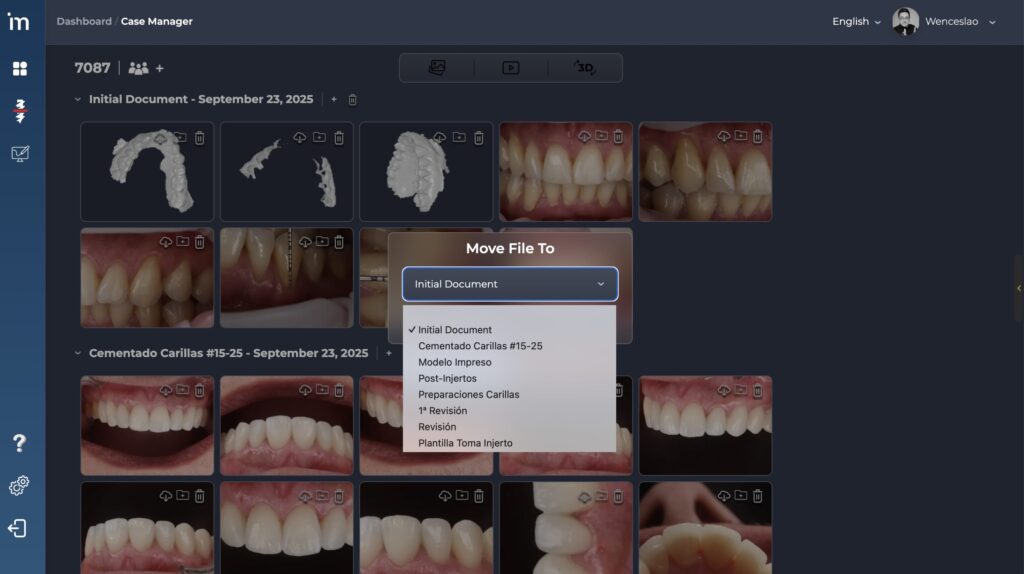
2️⃣ A window will appear with the legend Move file to. In the drop-down menu, select which patient gallery you want to move the file to.
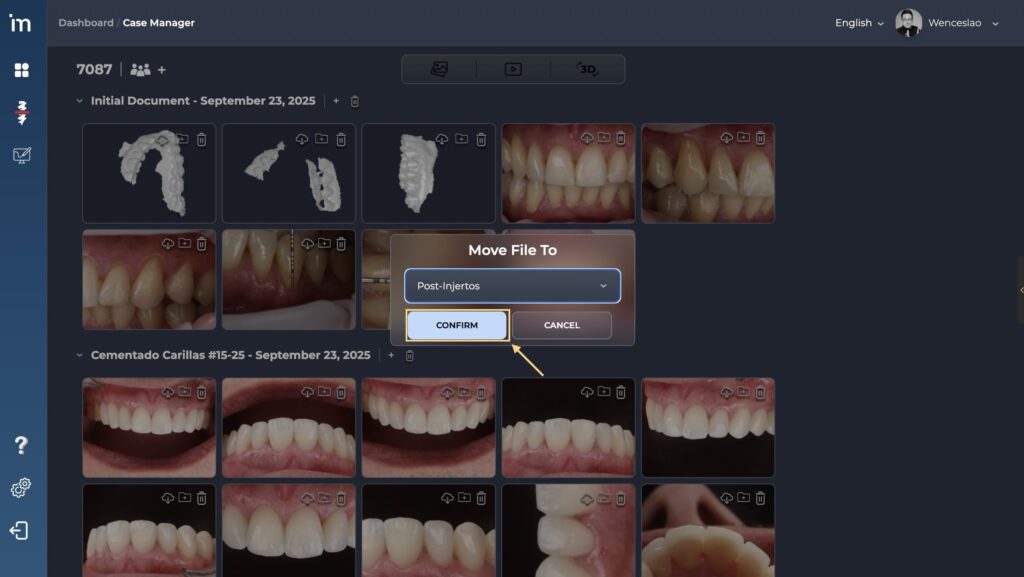
3️⃣ Click the button Confirm y voilà. You have moved the gallery file.
You can also directly drag the file to the folder where you want to move it.