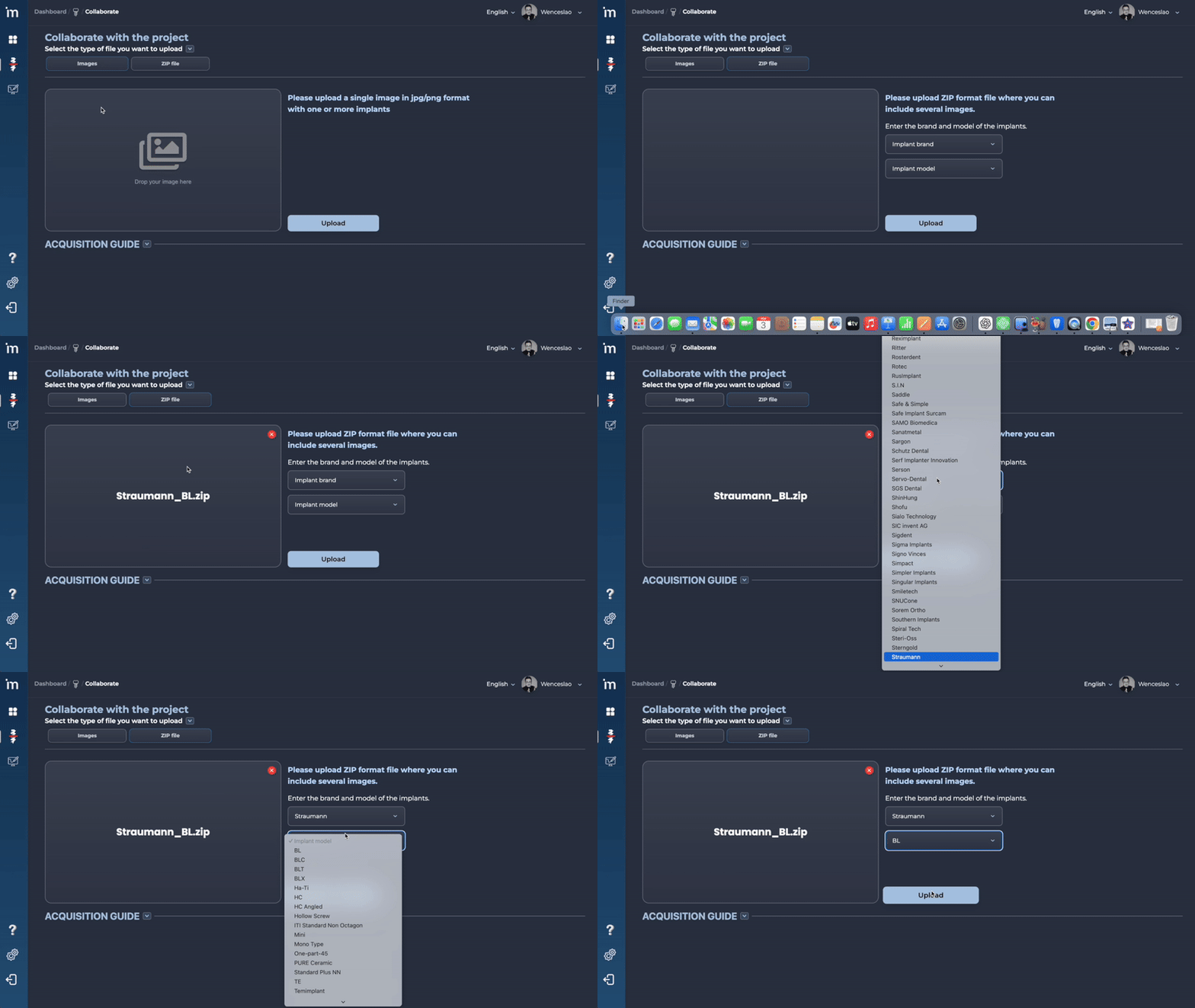
The key to this implant identification project lies in creating the world’s largest implant database. To this end, we have launched the Collaborate feature.
Anyone wishing to help expand the MovumStudio® implant database can upload X-rays to the algorithm as follows.
Step by step
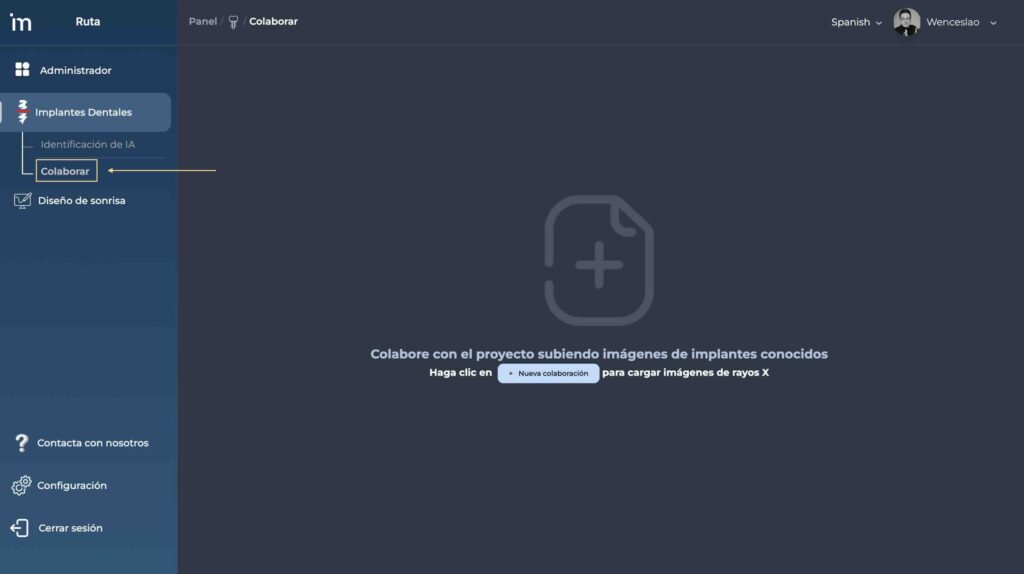
1️⃣ In the drop-down menu on the left, click on Collaborate.
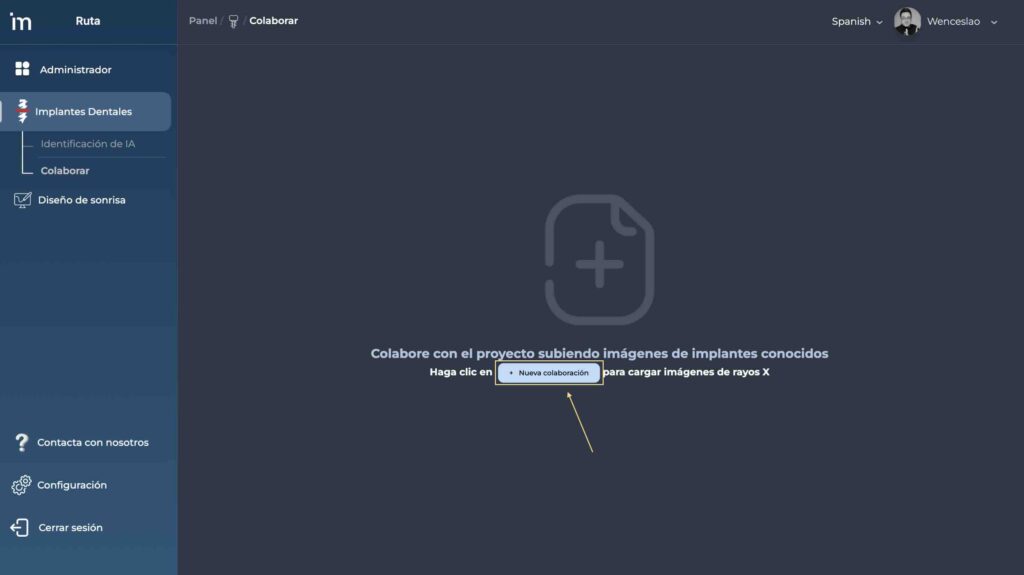
2️⃣ Click the New Collaboration button.
3️⃣ X-rays can be uploaded individually or, if they relate to the same brand and model of implant, grouped into a .zip file for simultaneous upload.
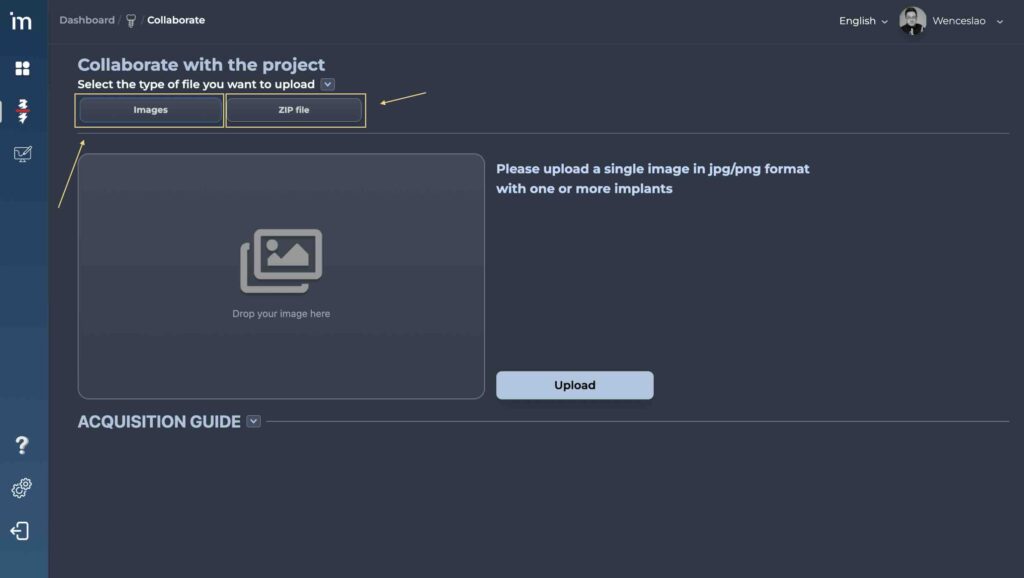
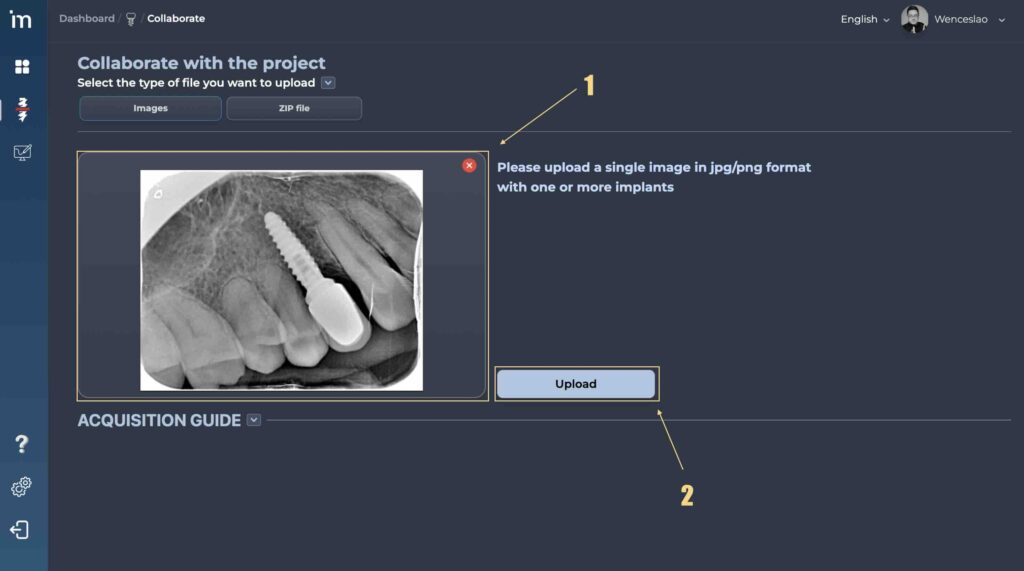
4️⃣ If you wish to upload an image, drag it into the designated area and, once it has loaded, click the Upload button.
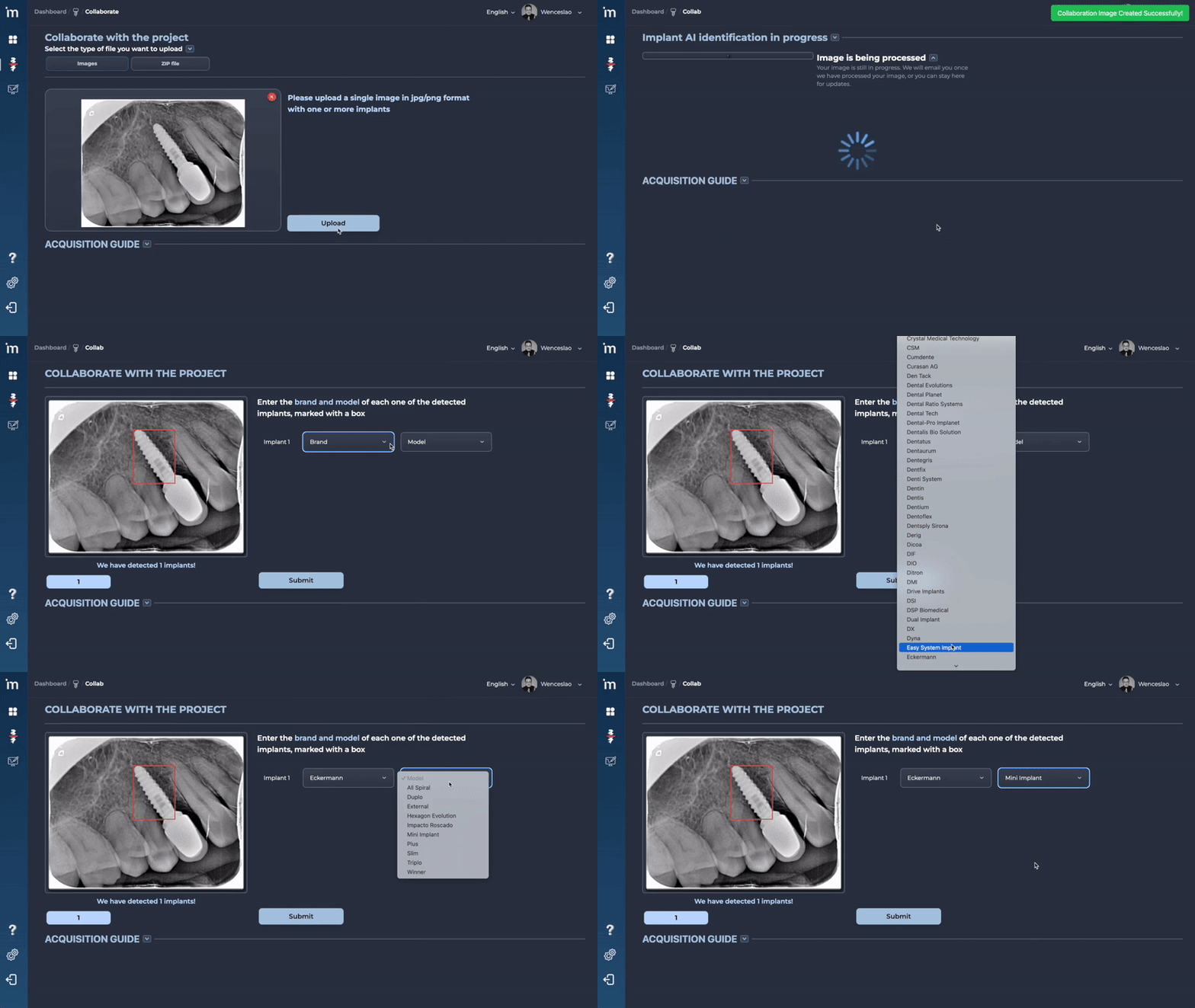
5️⃣ The implant identifier will be launched and will locate the implant or implants visible on the X-ray. The brand and model for each of the identified implants will be displayed in the drop-down menus. After selecting the brand and model for each implant, click the Send button.
6️⃣ If you wish to upload multiple X-rays of the same implant, we recommend uploading them in bulk via a .zip file by following the steps in the video below.