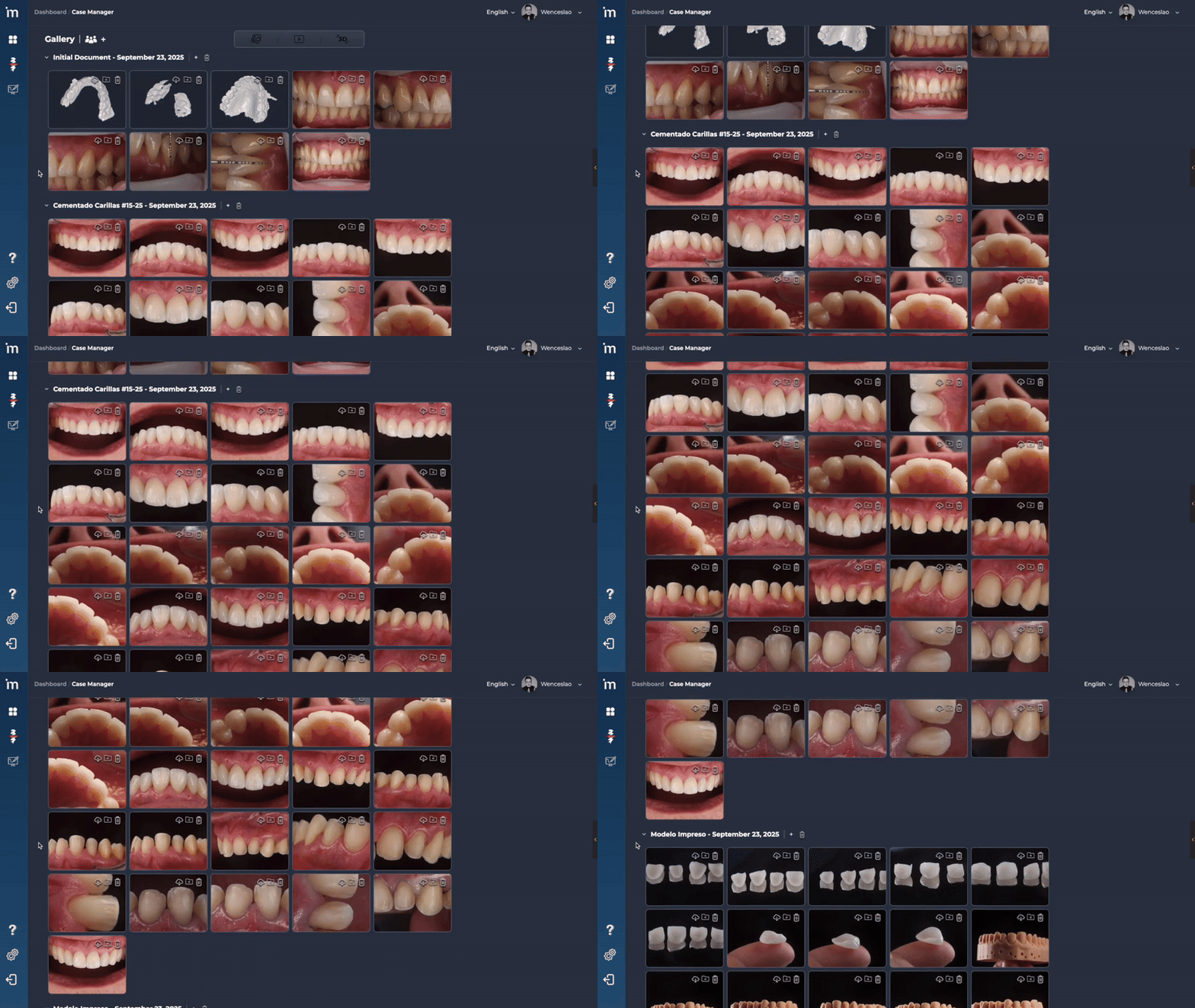
A gallery is a folder, you can create as many galleries as you want for each of your patients.
We recommend that you generate a new gallery for each phase of the treatment, so that you can share the information with your work team in the most organized way possible.
Step by step
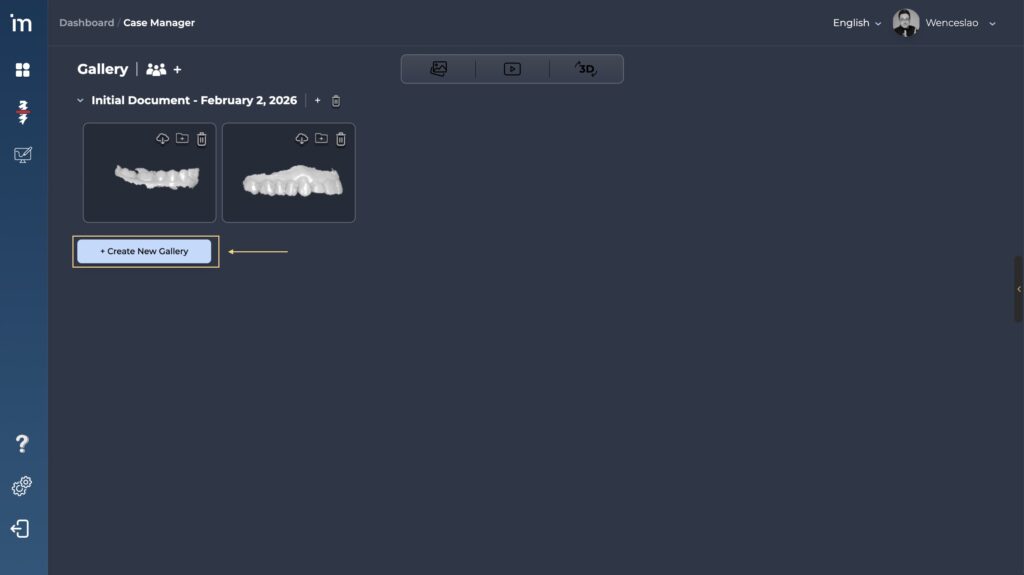
1️⃣ Click the button Create New Gallery.
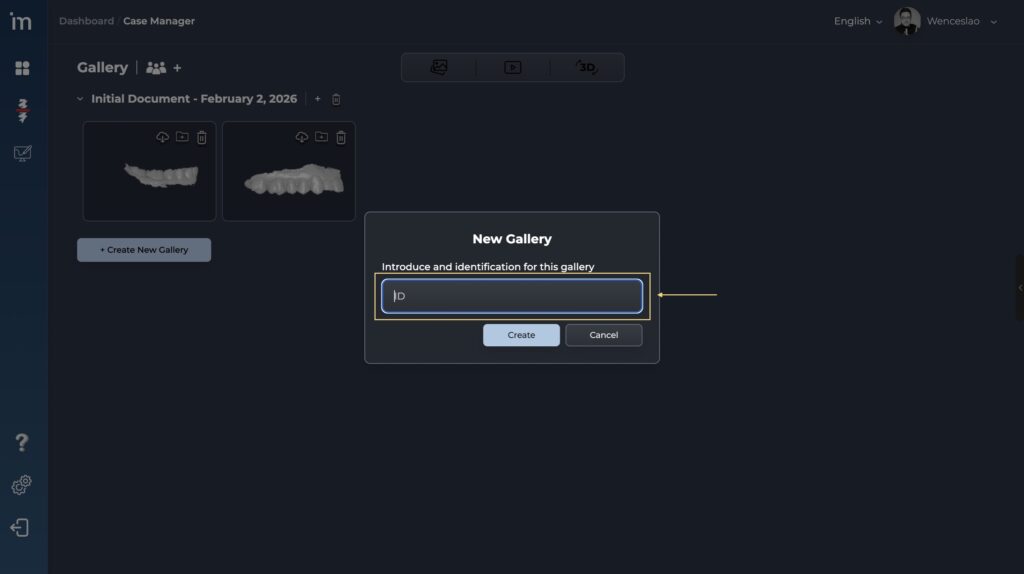
2️⃣ Enter the name you want to give the folder in the Gallery Name field. For example: Carving, Veneers, Impressions, etc… Click the button Create.
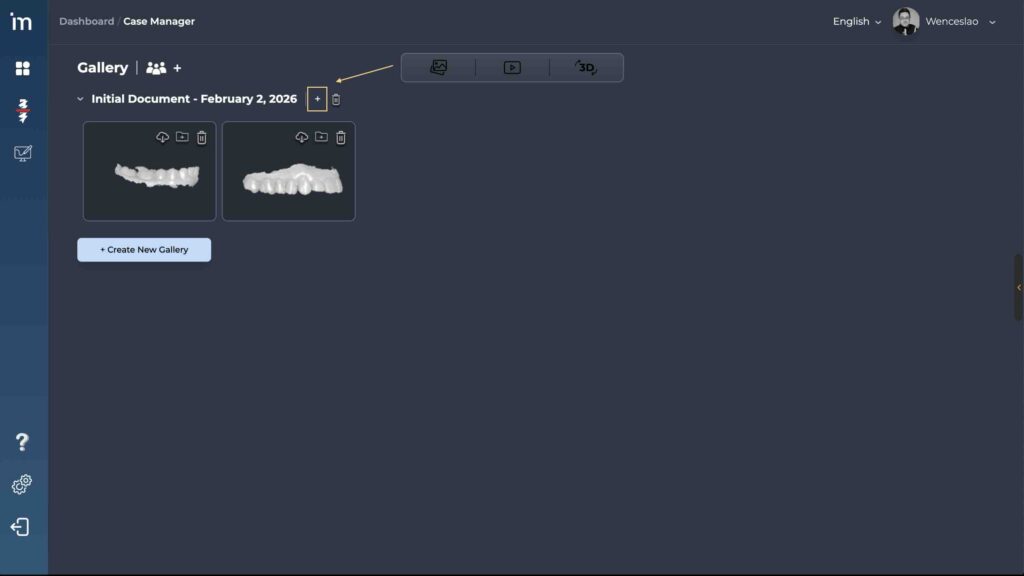
3️⃣ Add information to the folder by clicking the “➕” symbol. Select those files that you want to add to the newly created folder.
4️⃣ Enjoy all your patient’s information perfectly organized.