
This tool combines two or more meshes to generate new geometry according to a Boolean operation. The operations that can be performed are:
- Union: joins both volumes into a single mesh.
- Difference: subtract one mesh from the other (A – B).
- Intersection: preserves only the common part between both meshes.
Step by step
1️⃣ Select the base mesh and open the tool by clicking the button Boolean operations from the toolbar.

2️⃣ Choose a type of operation and select the meshes you want to operate with. Click on Apply.

3️⃣ The base mesh must be solid (socketed), so if it is not, the tool may require some modifications that can be done manually or automatically by pressing the button Solve automatically.
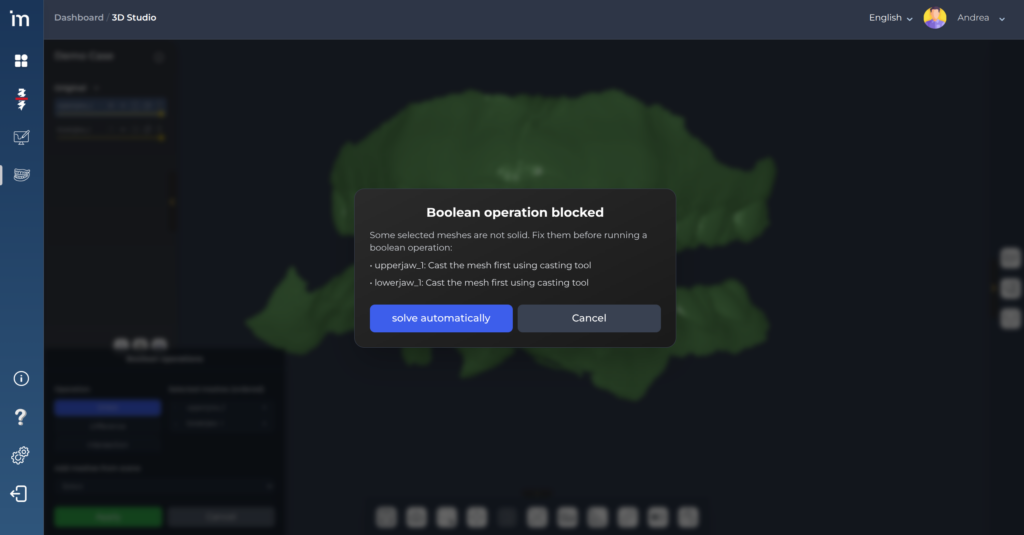
3️⃣ Boolean operation will be performed automatically after clicking Fix automatically or after you have fixed the mesh manually and repeated the process. A new mesh will be created with the result of the operation and will be saved in the category Other.

ℹ️ Good practices
- Repair screens sooner if they have defects (gaps/non-manifold).
- Avoid meshes with degenerate or very noisy intersections.
- Start with Union or Intersection to validate overlap before using Difference.
- If a boolean fails, simplify or clean meshes and repeat.