
The MovumStudio® algorithm features an automatically calibrated measuring ruler. With it you can carry out any type of measurement.
1️⃣ Activate Measurement Tool
To do this, you must click on the icon Measurements. When clicked, the measurement tool will be activated.

2️⃣ Perform Measurement
Once the tool is activated, left click on the point where you want to start the measurement. Then move the cursor to the end point and left-click again to display the calibrated measurement.
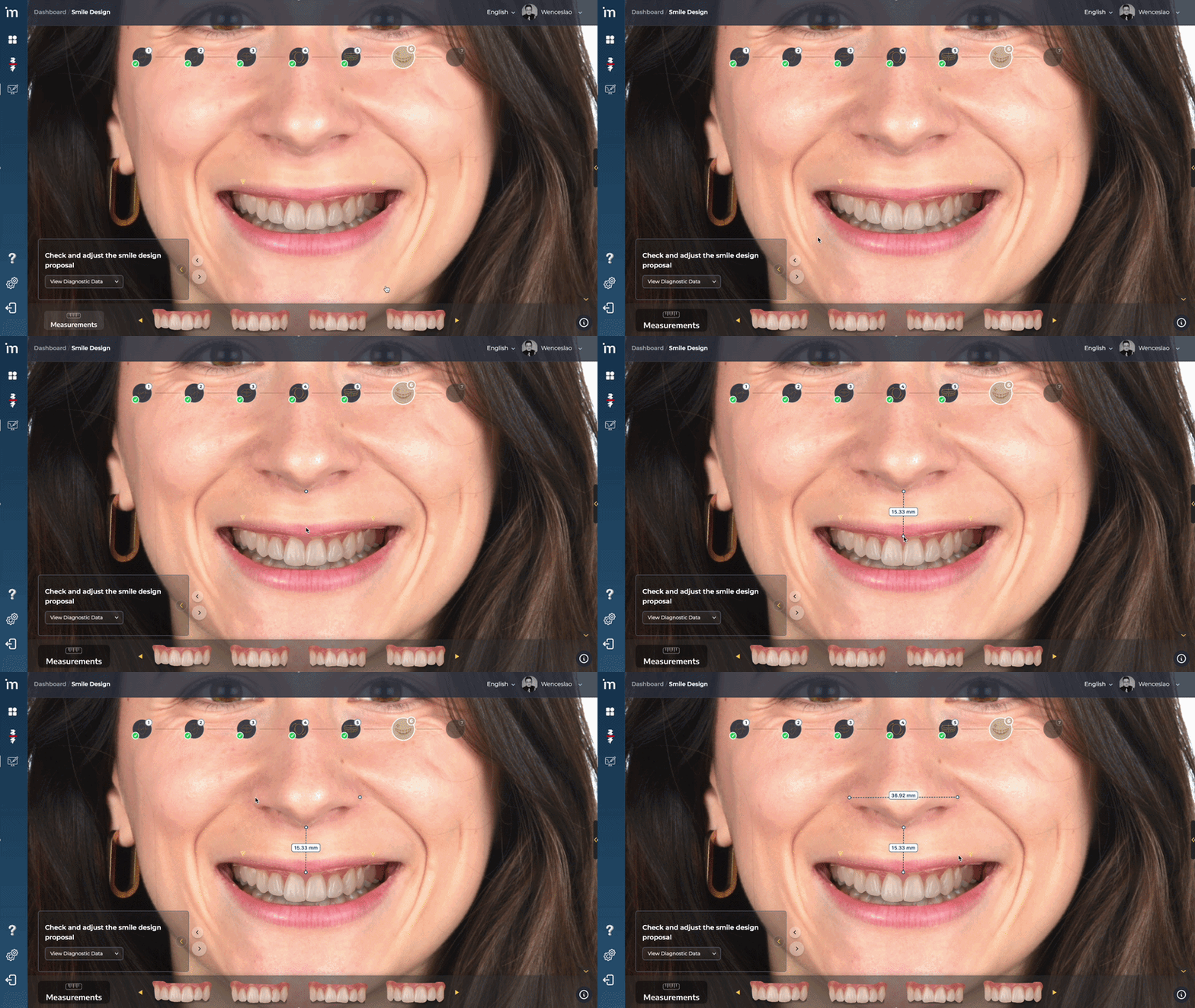
The MovumStudio® algorithm features an automatically calibrated measuring ruler. With it you can carry out any type of measurement.
3️⃣ View / Hide / Delete Measurements
Display the right side menu. There you will find a section called Measurements. You can hide and/or delete them.
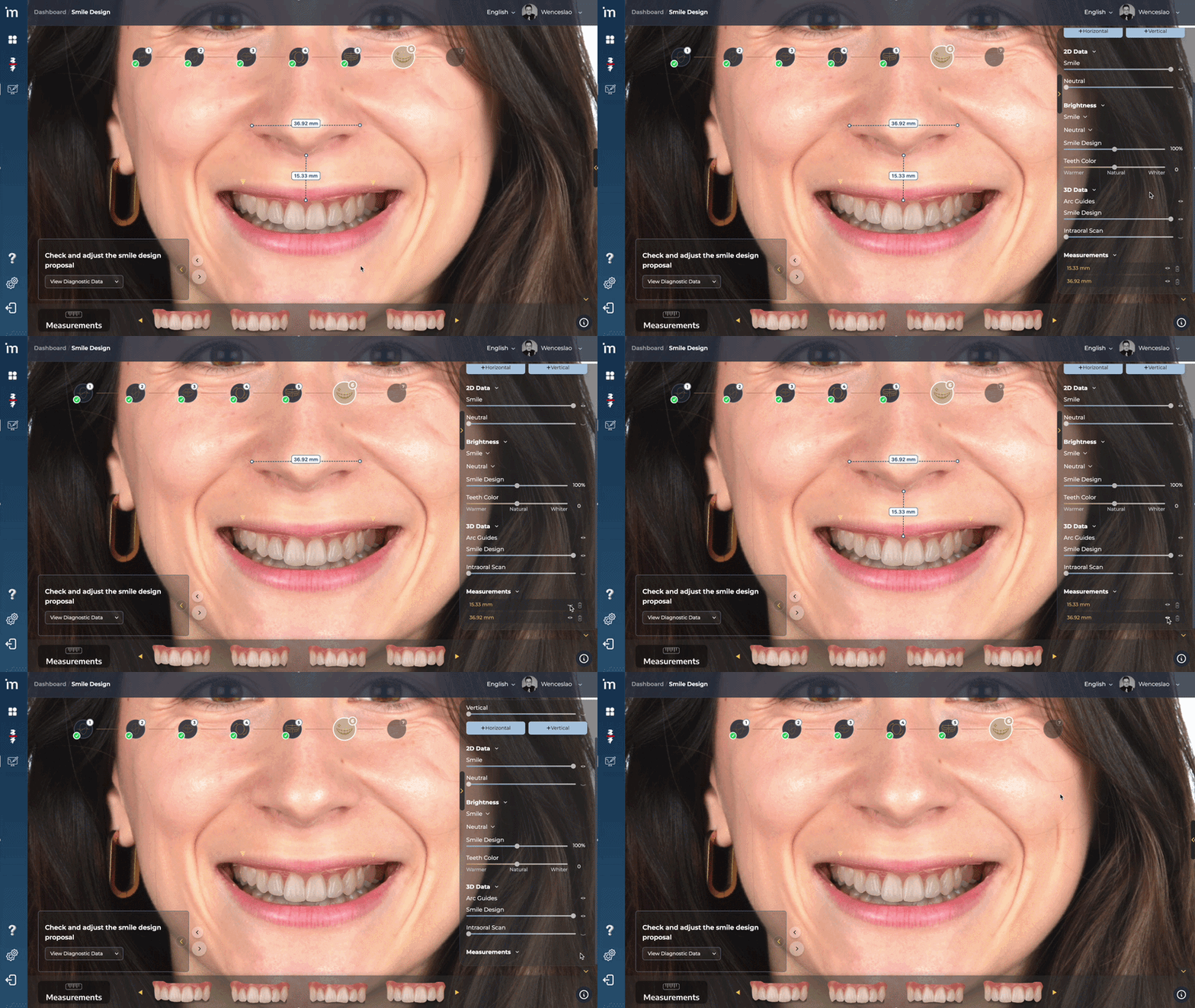
4️⃣ Disable Measurement Tool
While the measurement tool is active, the button Measurements It will be displayed in black. To deactivate the tool, click on the button again. When the background is gray, the tool will be disabled.

Click the forward arrow.
➡️ Continue to Ending the Case