
I hope you never want to do this
In case you want to delete your MovumStudio® account, we explain the procedure to follow below:
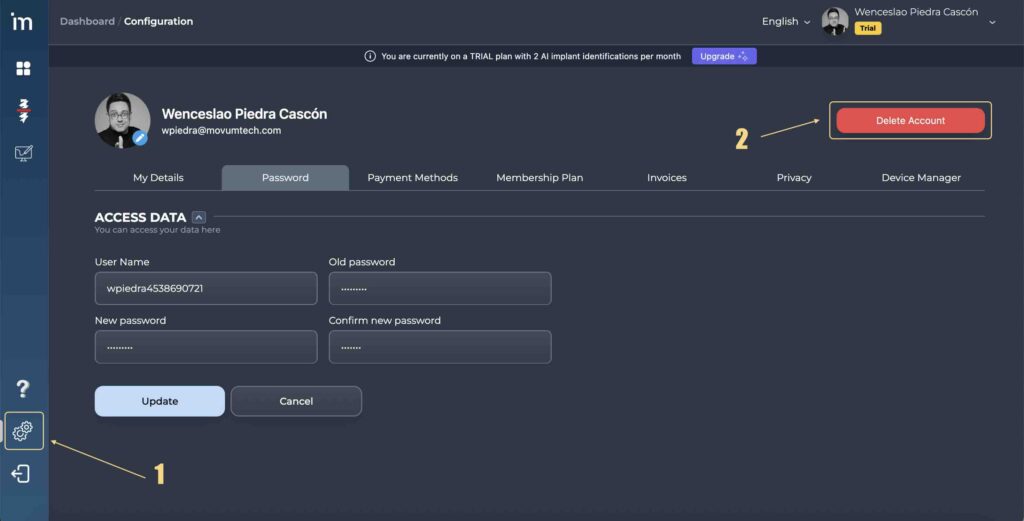
1️⃣ Access to you User Panel through the button Configuration [⚙️]on the left side panel. You will have to click on Delete account.
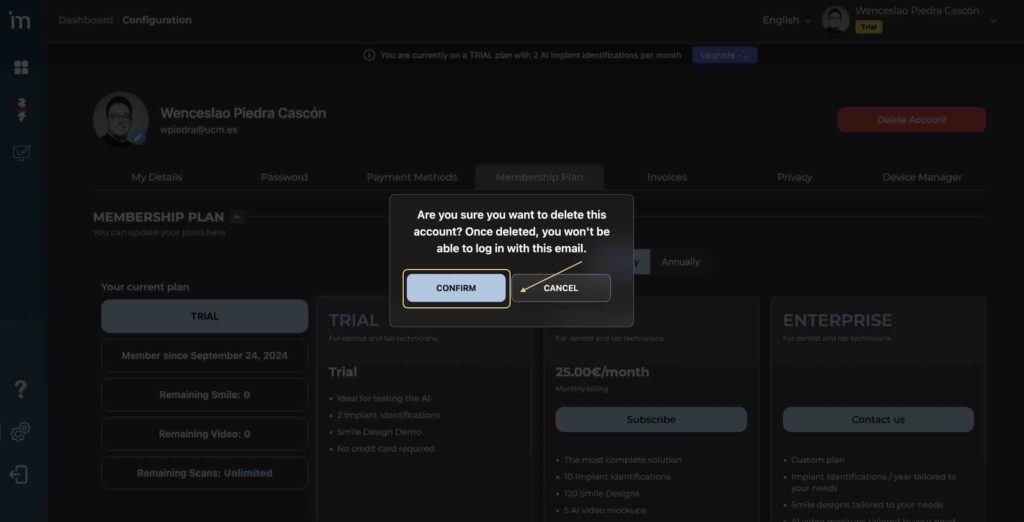
2️⃣ You will be asked to confirm that you really want to permanently delete your account. You must click on the button Confirm.
⚠️ To take into account
Before deleting your account, you must download all the information of those patients that you wish to keep to your computer or hard drive.
Once you delete the account, all the information stored in it will be deleted from MovumTech’s servers, without the possibility of having access to said information again.