
The implant identification module detects, recognizes and classifies the brand and model of dental implants that are present in 2D x-rays.
Step by step
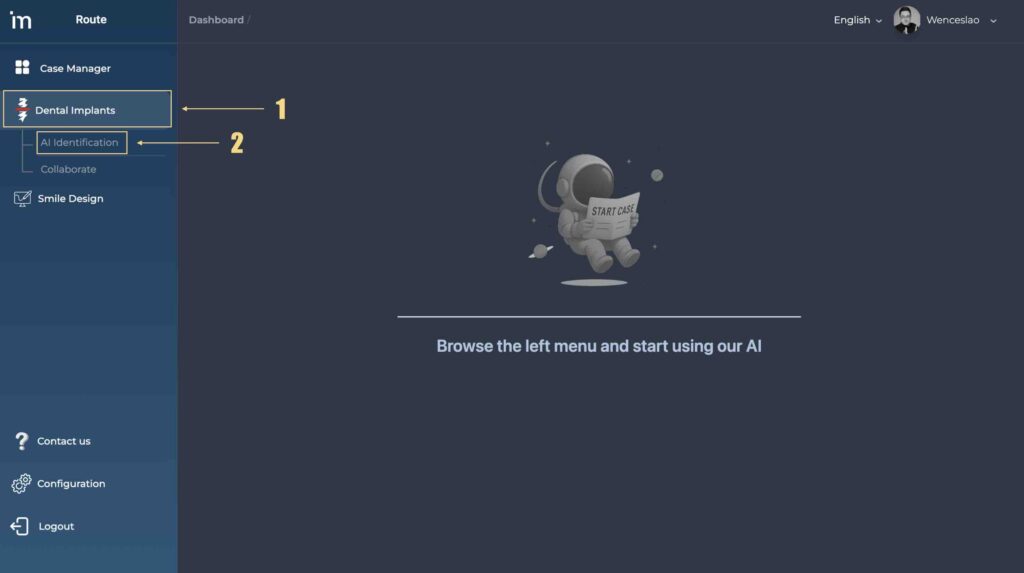
1️⃣ Access the implant identification module in the drop-down menu on the left. Click Dental Implants. and then in AI Identification.
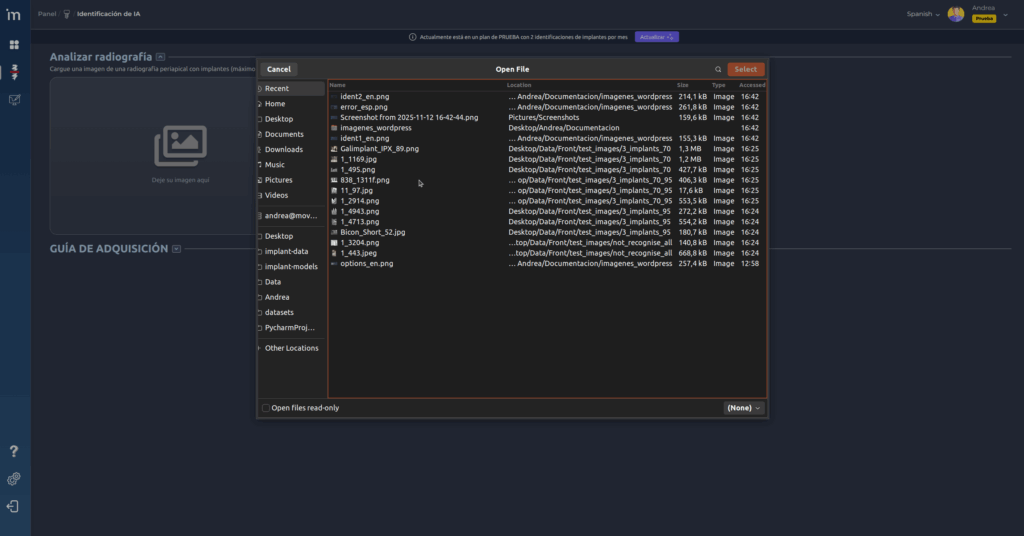
2️⃣ To upload an image of a dental x-ray, drag it to the indicated area or click on it to select it and click Select.
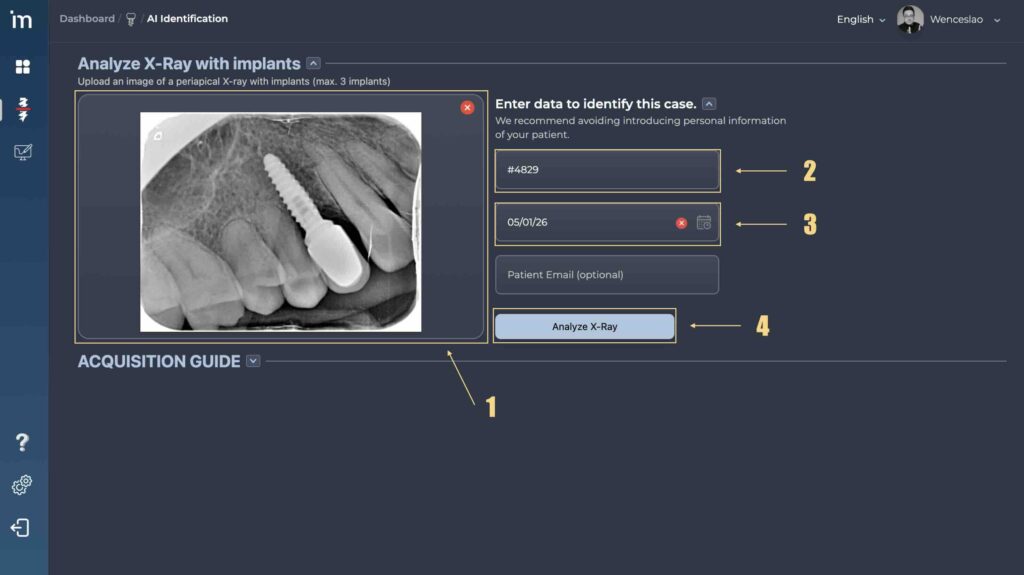
3️⃣ The x-ray will be displayed on the screen. Traceability data can be entered, such as a reference name and/or a date. Additionally, if you want to share the results with the patient or another person, you can enter their email in the field Patient email (optional). After adding the data you want, click Analyze Radiography to begin identification.
4️⃣ While the implant is being analyzed, a charging symbol will be displayed. The response time will depend on the internet connection and is always less than 30 seconds.
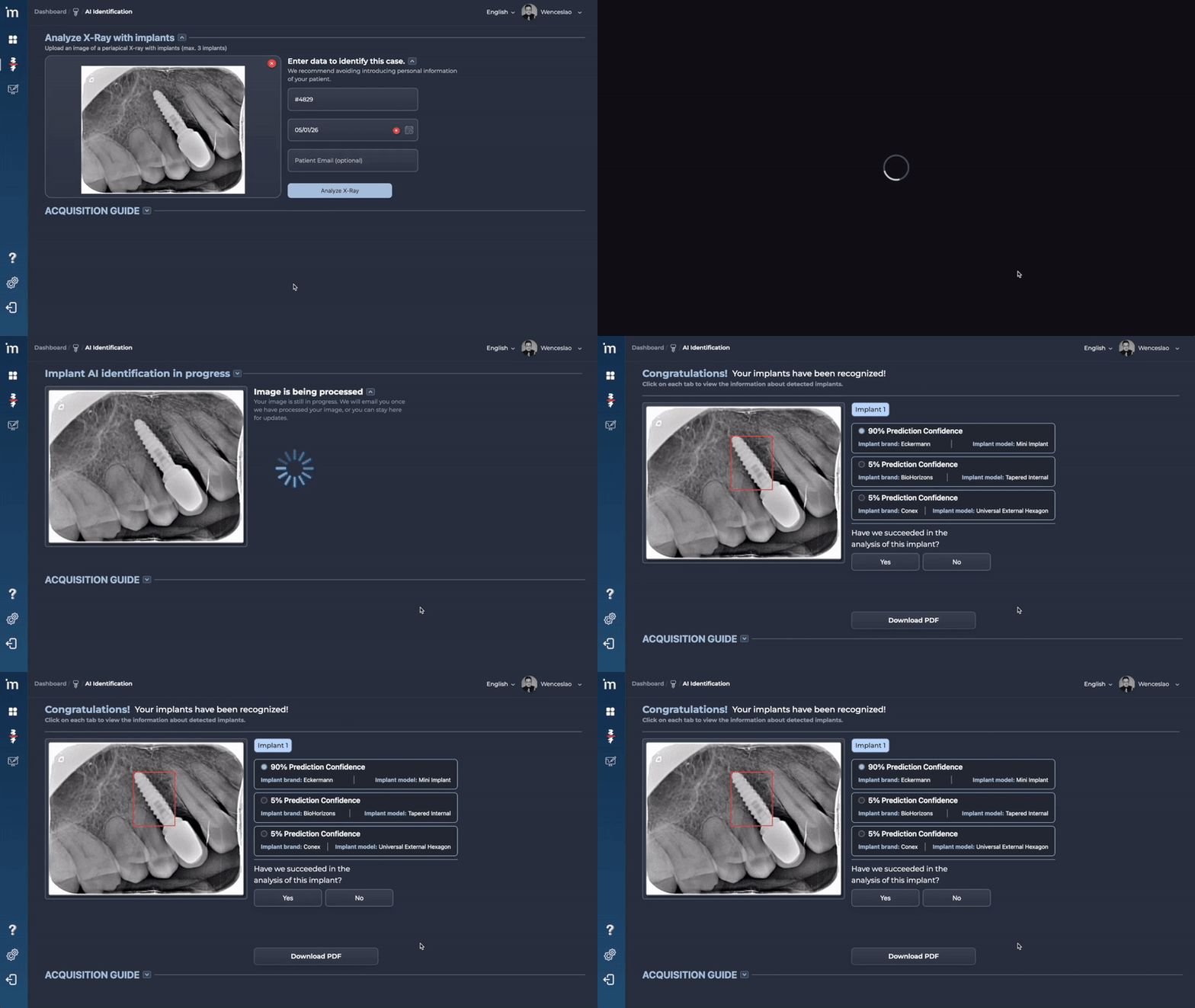
5️⃣ Once the analysis is complete, the image will be displayed again with each recognized implant. If the algorithm has hesitated between more than one brand and model of implant, the confidence prediction percentages will be shown from highest to lowest.
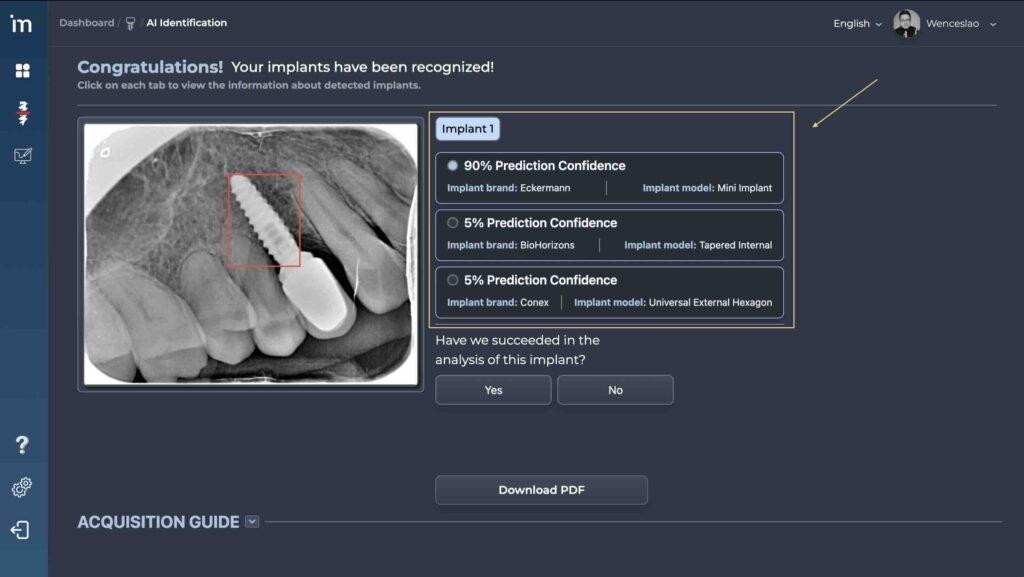
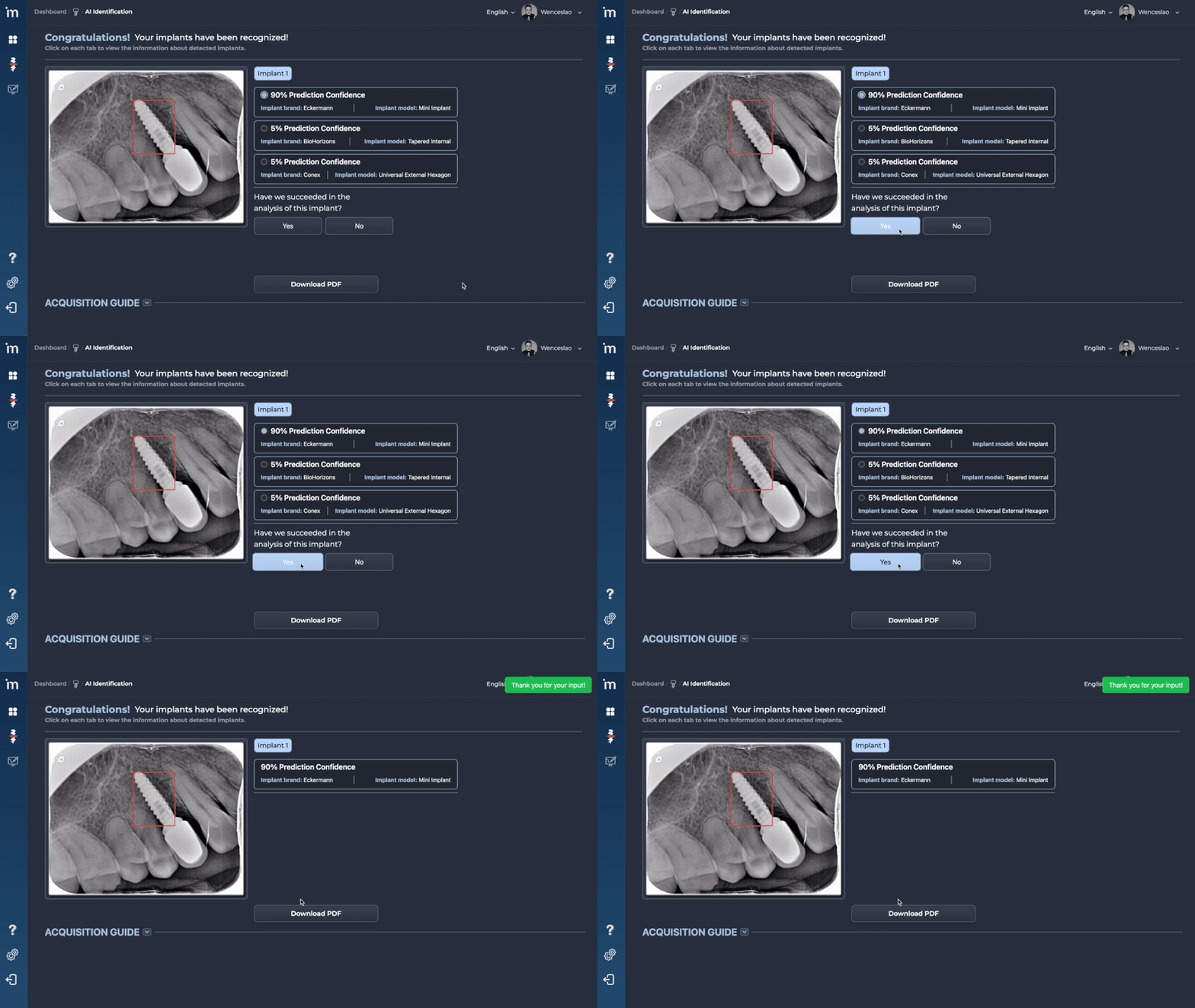
6️⃣ To improve precision, it is recommended to confirm whether the algorithm was correct (or not) in identifying the implants.
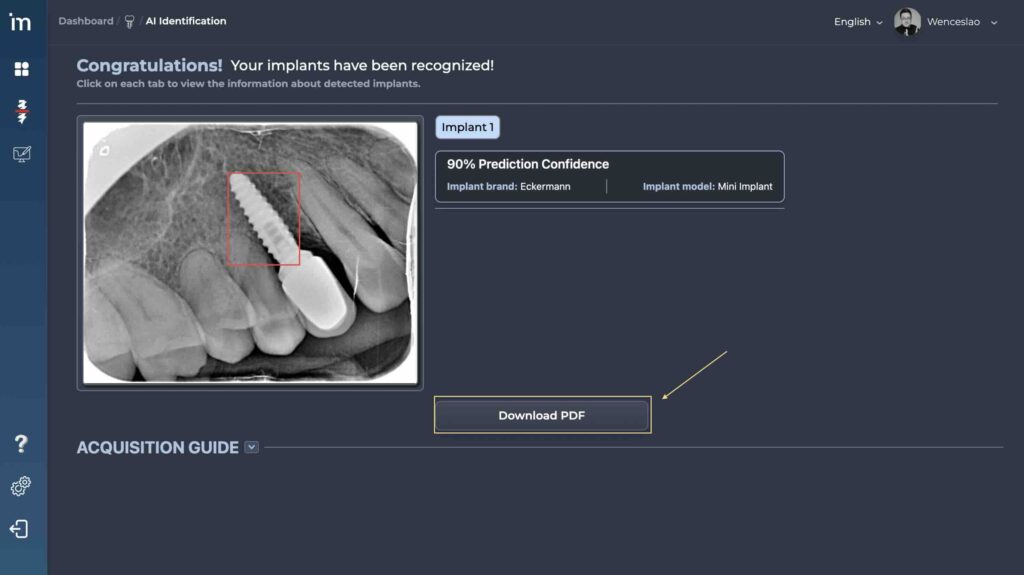
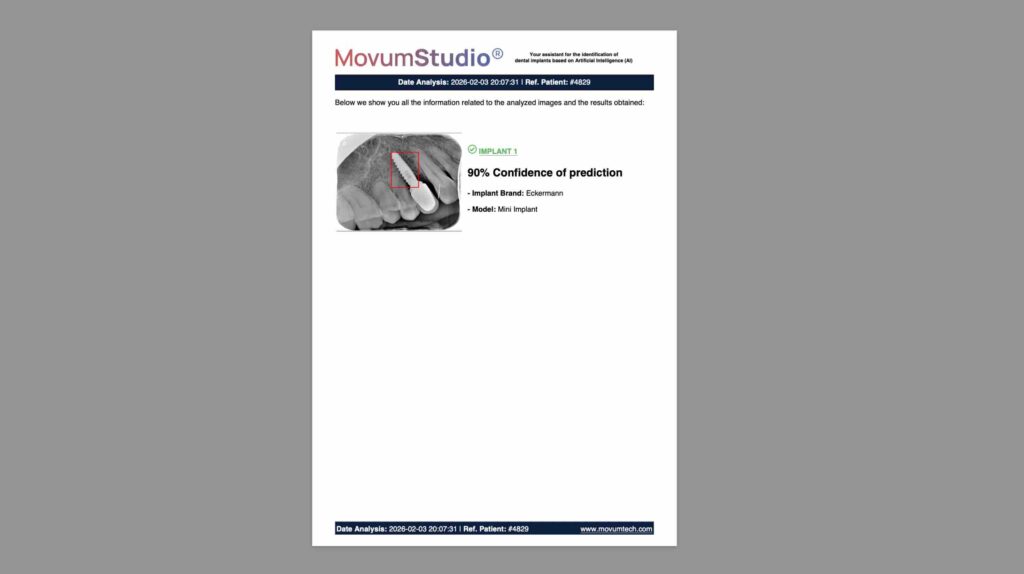
7️⃣ By clicking Download PDF A report will be downloaded with a summary of the implant identification carried out that you can share with your team, the patient or send it to the commercial house.
ℹ️ FAQs
1. How many implants can be recognized at once?
Our algorithm is capable of recognizing up to 5 implants present in the x-ray as long as the image quality is good. Each x-ray is counted as an identification even if there is more than one implant in the x-ray.
2. What radiographs should be used for maximum accuracy?
If you want to obtain maximum precision from our algorithm, you must use perfectly parallel periapical radiographs.
3. Can other types of x-rays be used?
You can use other types of x-rays such as orthopantomograms. However, since it has less definition than a periapical radiograph, the percentage of precision and success will be lower.
4. Can a photograph taken in an x-ray with a mobile phone camera be used?
It should not since the image quality will be lower.
The reality is that our algorithm is retrained month after month and is currently capable of identifying implants in “low resolution” images, but we remind you that accuracy is not guaranteed under these working conditions.
5. Some implants have been identified and others have not, why?
It may be due to 2 reasons:
Reason 1: The x-ray that has been used is not correctly taken or parallelized.
Reason 2: We may need more implants of that make and model in our database to improve the identification process.
However, the MovumTech team will attempt to identify and update the information within 24-48 hours.