
Positioning
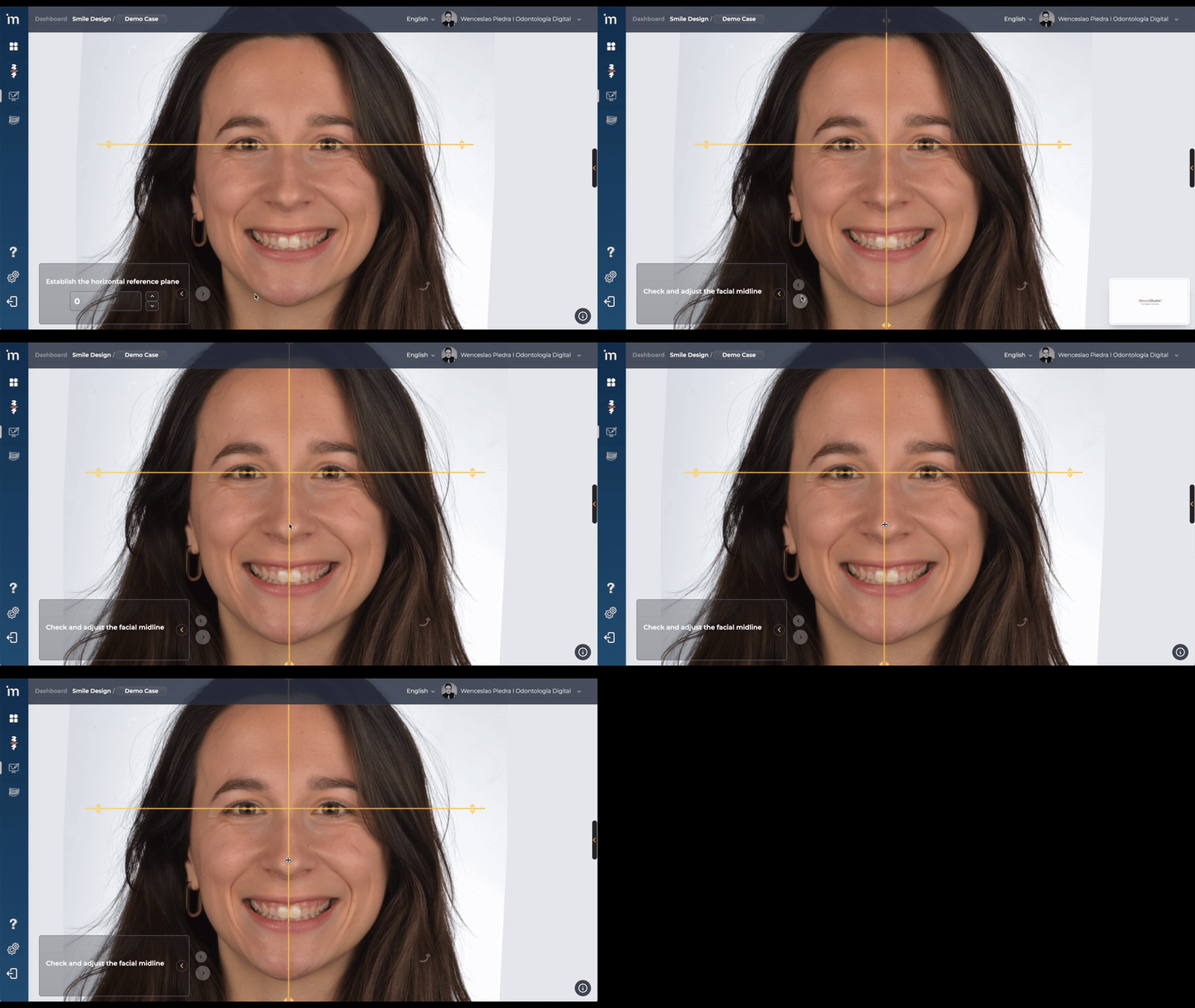
On this screen you must position the Facial Midline of your patient.
The algorithm MovumStudio® will automatically determine the position of the Facial Midline.
However, there is the possibility of modifying its position by placing the mouse over the line, left clicking with the mouse and moving the Facial Midline to the desired position.
Additional vertical lines
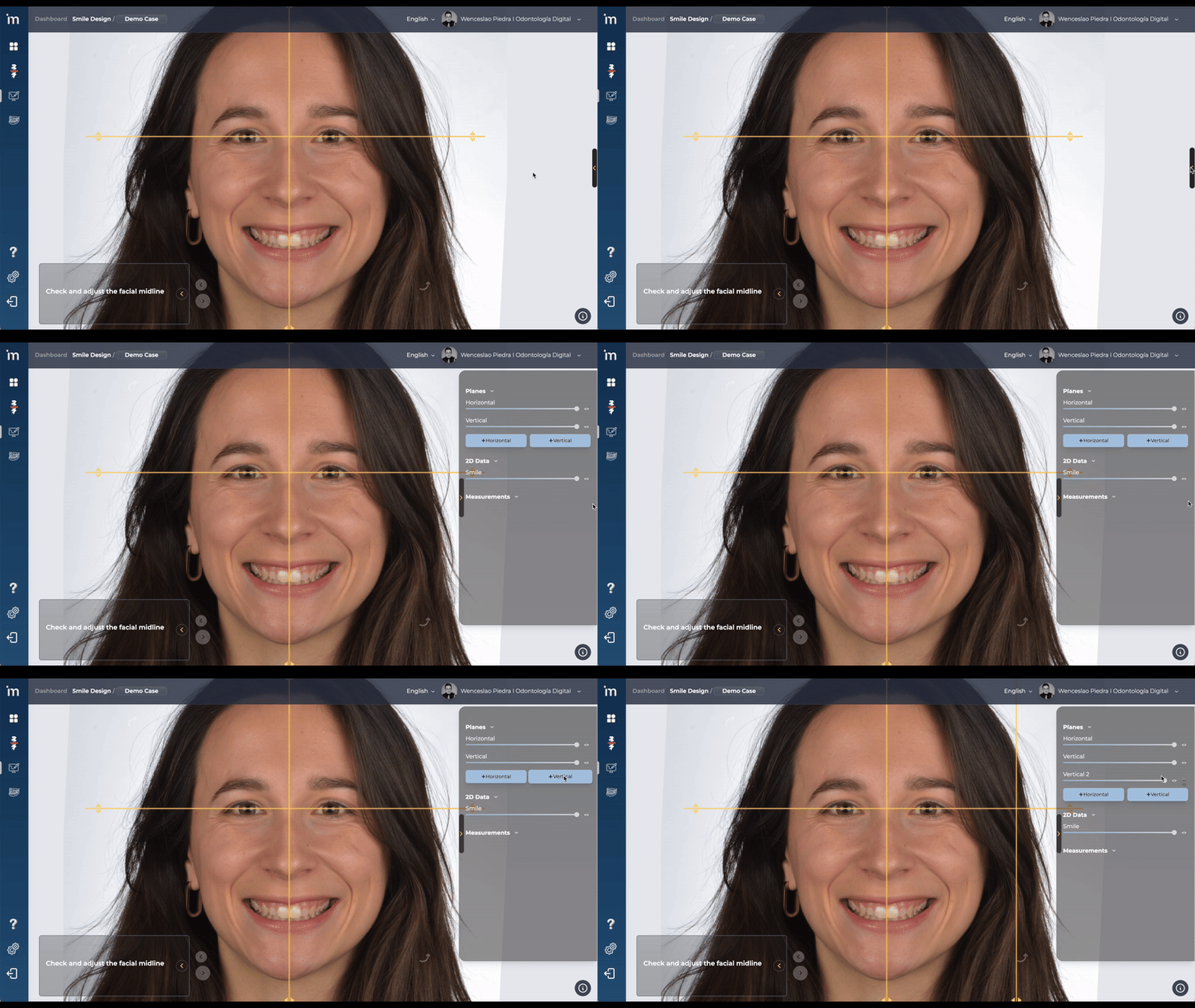
Just as you can draw and position additional horizontal lines, you can also add vertical lines additional and always parallel to the facial midline. These lines allow you to define extra references to improve your analysis and planning.
In the drop-down menu on the right of your screen you can: draw new vertical lines, position them freely, adjust their opacity and delete them when you no longer need them.
Click the forward arrow.
➡️ Continue to Lip/Teeth Segmentation