
Join the community
There are 3 different registration methods. You must select the method that best suits your needs.
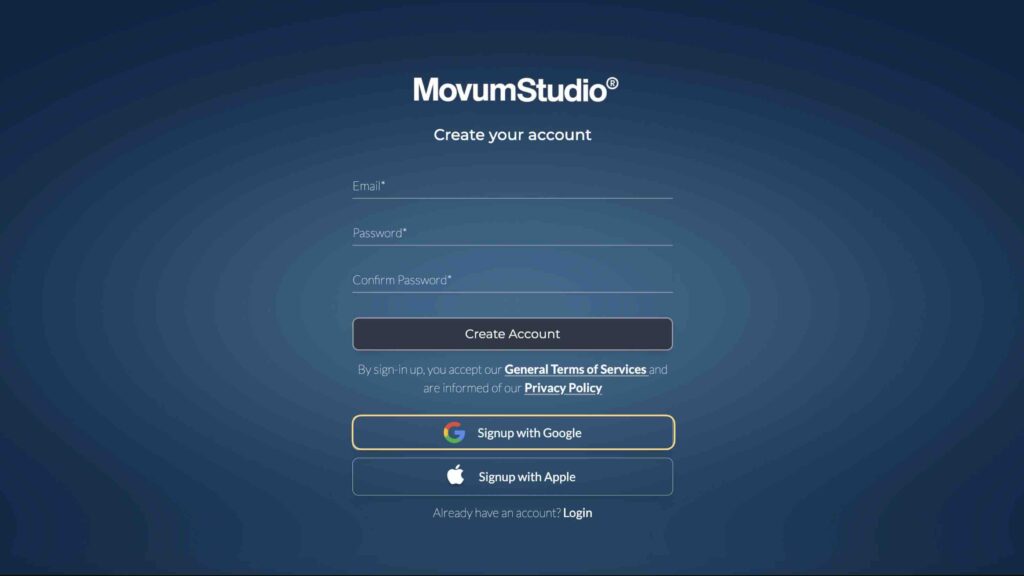
To create an account in MovumStudio® you must access:https://studio.movumtech.com and click Sign-up.
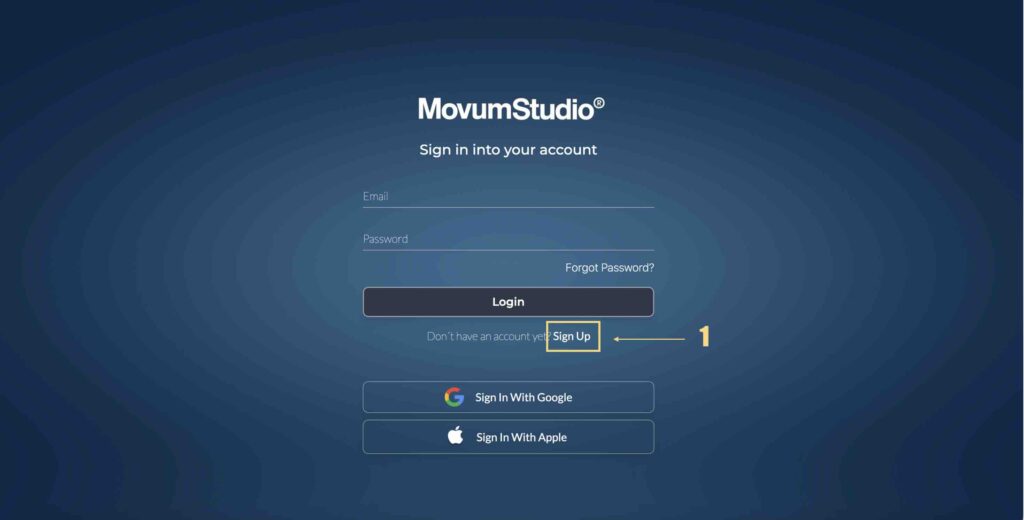
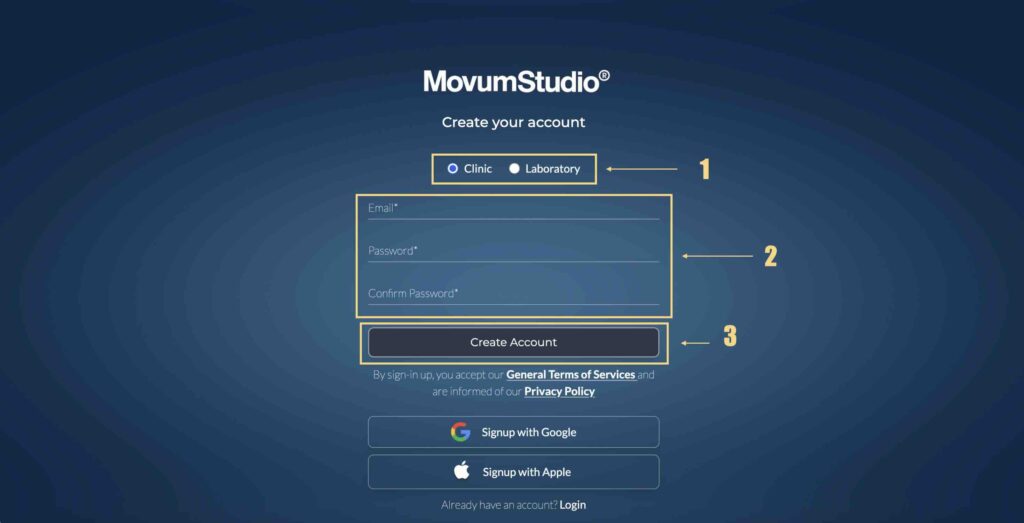
Method 1: Email + Password
First of all, you must select if your account will be Clinic o Laboratory. Afterwards, you must enter your access email and your desired password, which you must confirm. Finally click Create Account.
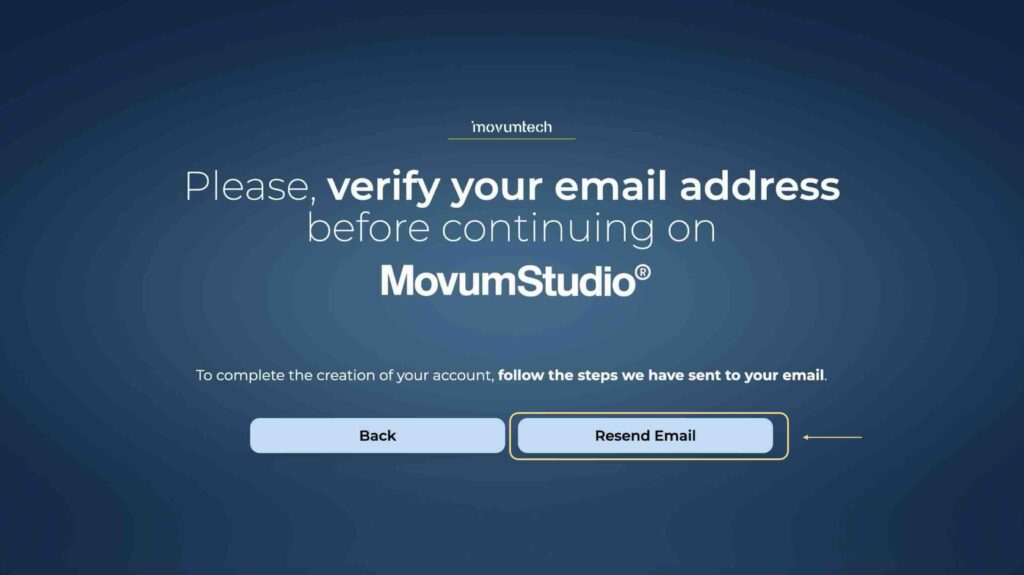
We will automatically send you a verification email. If you do not receive this email, you can click Forward Email.
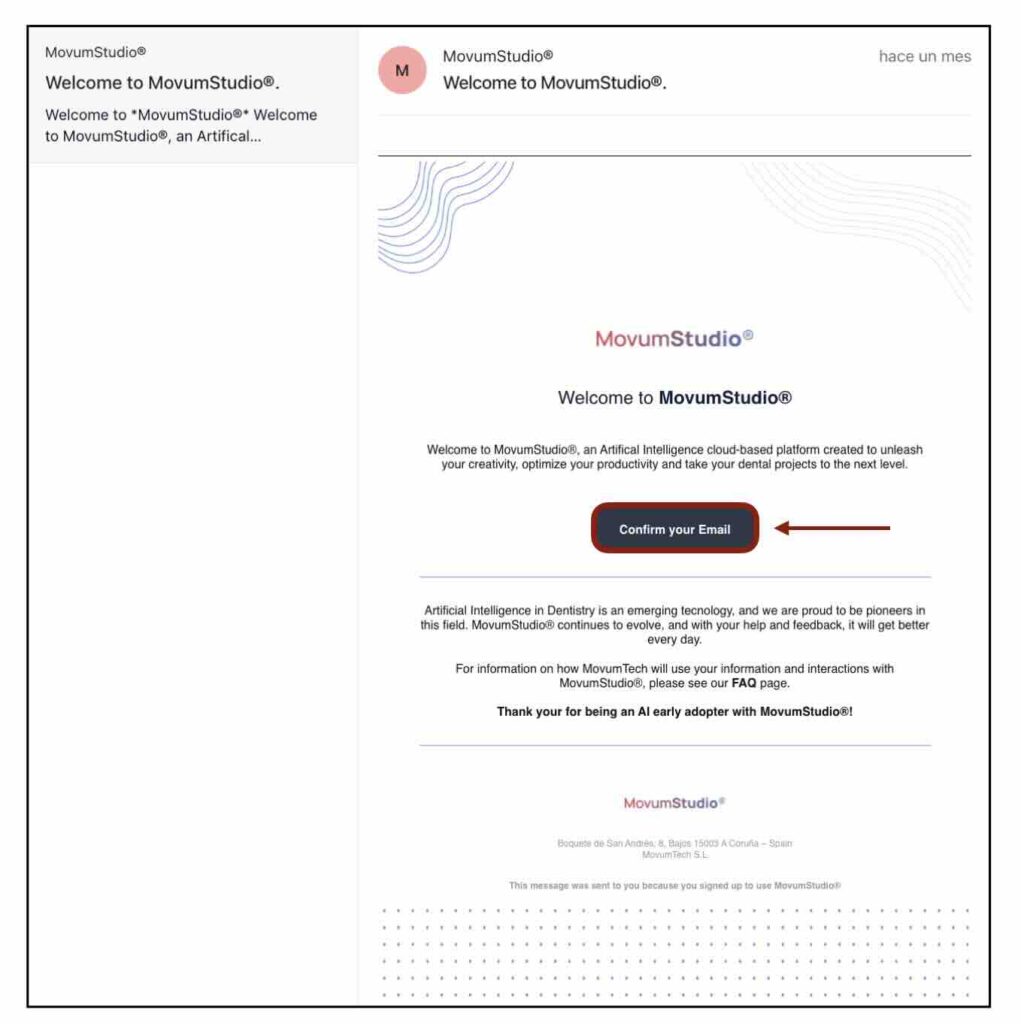
You now have your MovumStudio account activated and ready to start taking advantage of our AI algorithms.
Method 2: Google ID
1️⃣ Click Sign Up con Google.
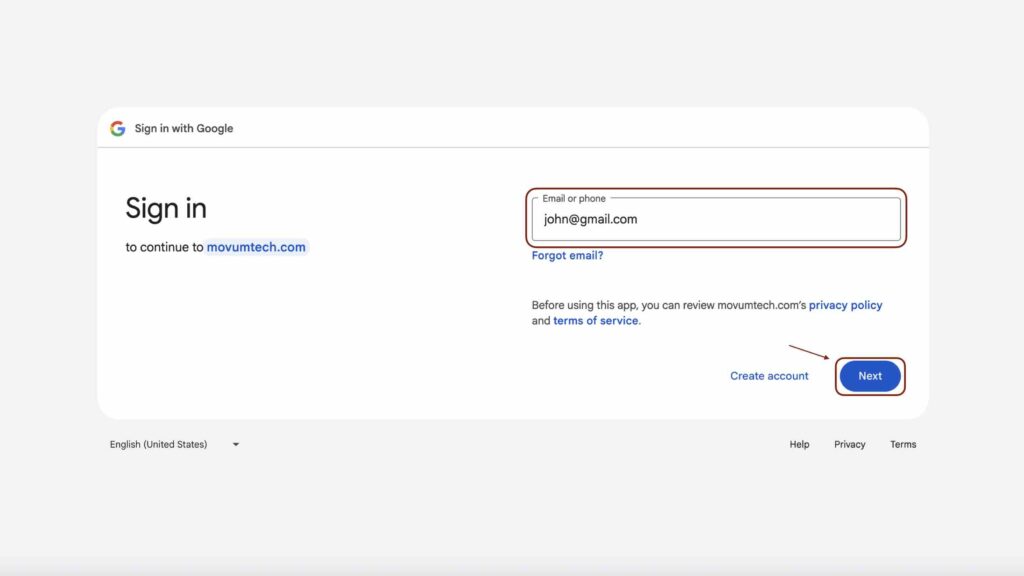
2️⃣ Enter your email Gmail and click Following.
3️⃣ You enter Password and click Following.
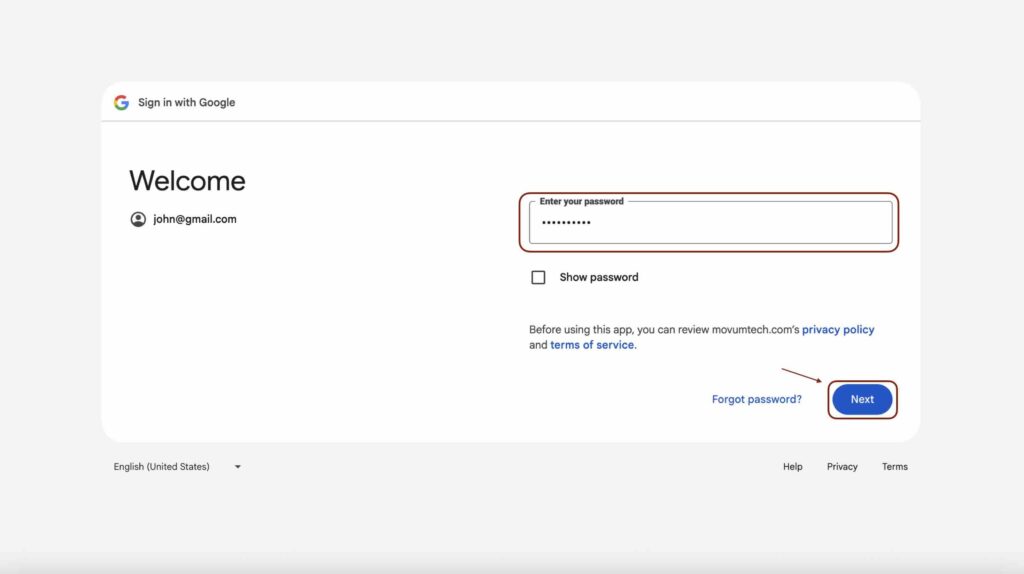
Now you have your MovumStudio® account associated with your Gmail account. You must take into account the following:
1️⃣ Your MovumStudio® account will be associated with your email address.Gmail, and access will be authenticated by Google.
2️⃣ MovumStudio® does not have the ability to access your password. If you need to change your password you must access your profile at Google and reset your password.
Method 3: Apple ID
1️⃣ Click Sign Up con Apple.
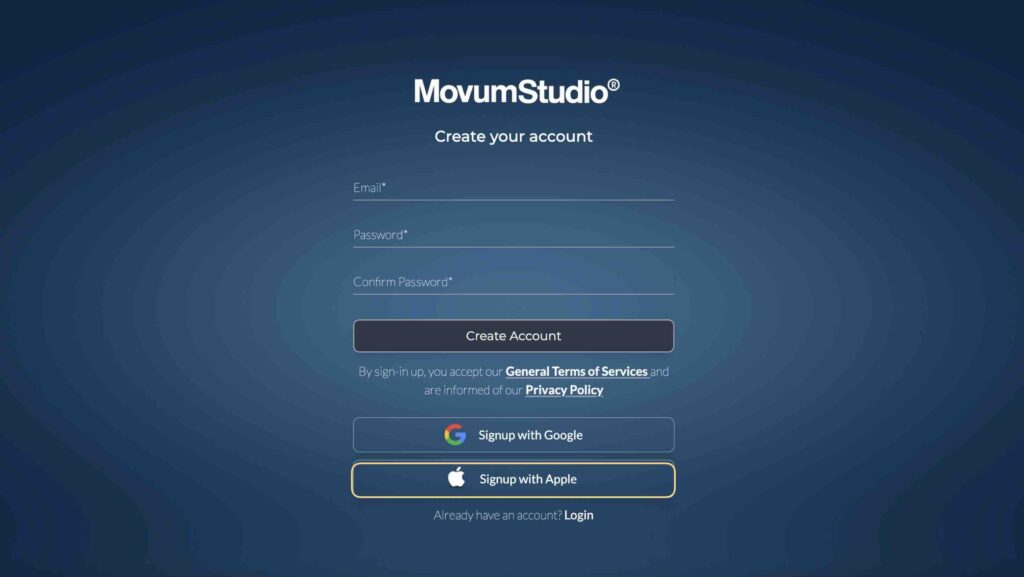
2️⃣ Enter your email iCloud and click Following.
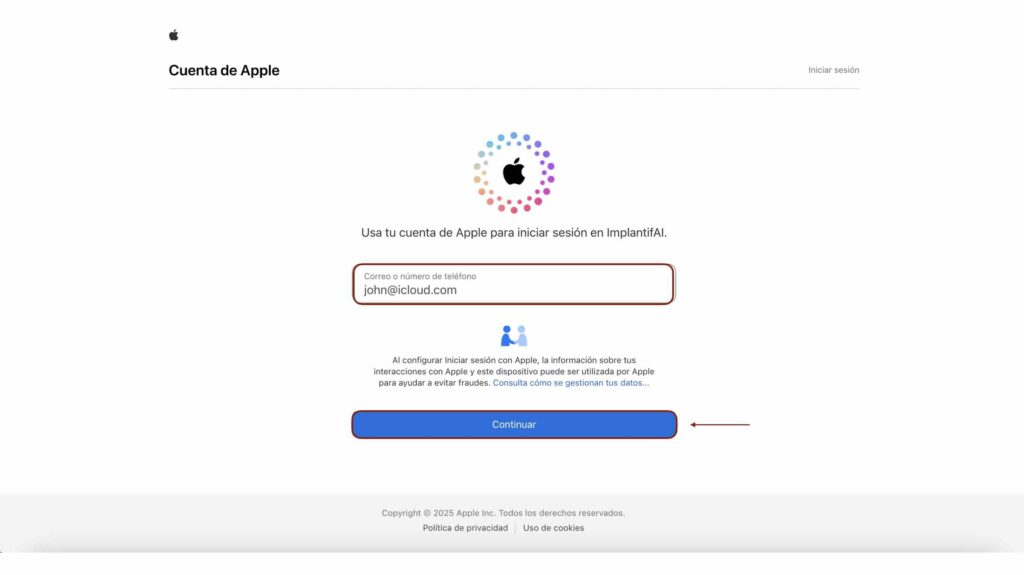
3️⃣ You enter Password and click Login.
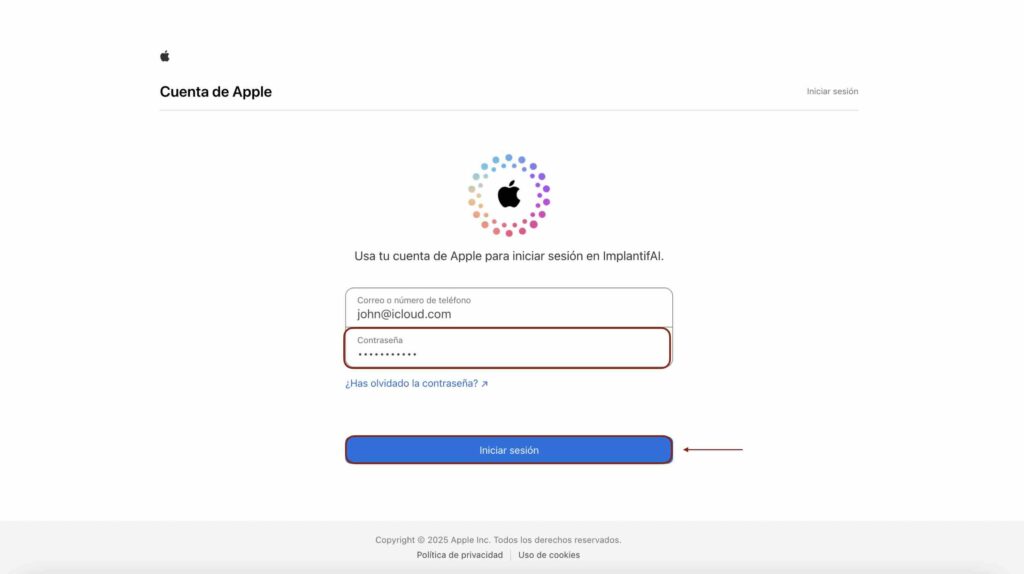
Now you have your MovumStudio® account associated with your iCloud account. You must take into account the following:
1️⃣ Your MovumStudio® account will be associated with your email address.iCloud, and access will be authenticated by Apple.
2️⃣ MovumStudio® does not have the ability to access your password. If you need to change your password you must access your profile at iCloud and reset your password.
✅ Summary Registration Methods
Email + Password
- Select your access email and password.
- You can change your password from the user panel or from the “I have lost my password” link.
Google ID
- Your account will be associated with Google.
- The password is not managed or stored on MovumTech servers.
- You manage your password through your Google profile.
Apple ID
- Your account will be associated with Apple.
- The password is not managed or stored on MovumTech servers.
- You manage your password through your Apple/iCloud profile.