
Here we are going to explain how your passwords are managed in MovumStudio®, and it all depends on the Registration Method that you have used.
Email + Password
If you used an email and password of your choice, you can change this through your User Panel.
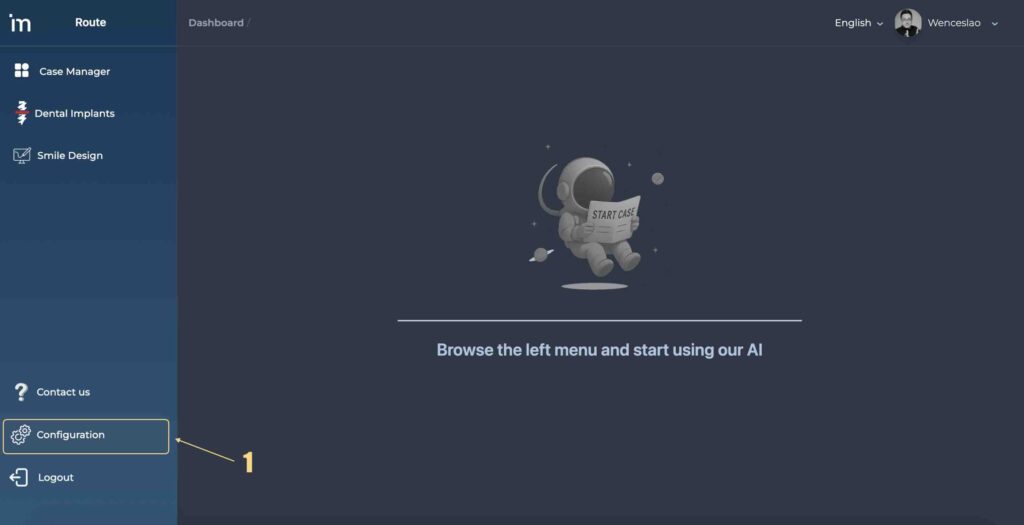
1️⃣ Click the button Configuration[⚙️]on the left side panel.
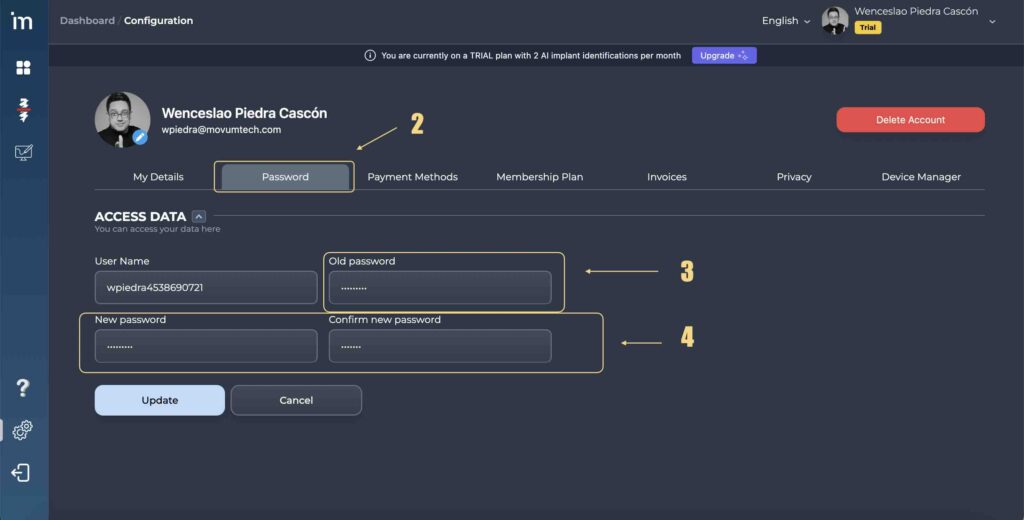
2️⃣ Go to the tab Password, there you can modify your current password. You must enter your current password and the new one you want to change it to.
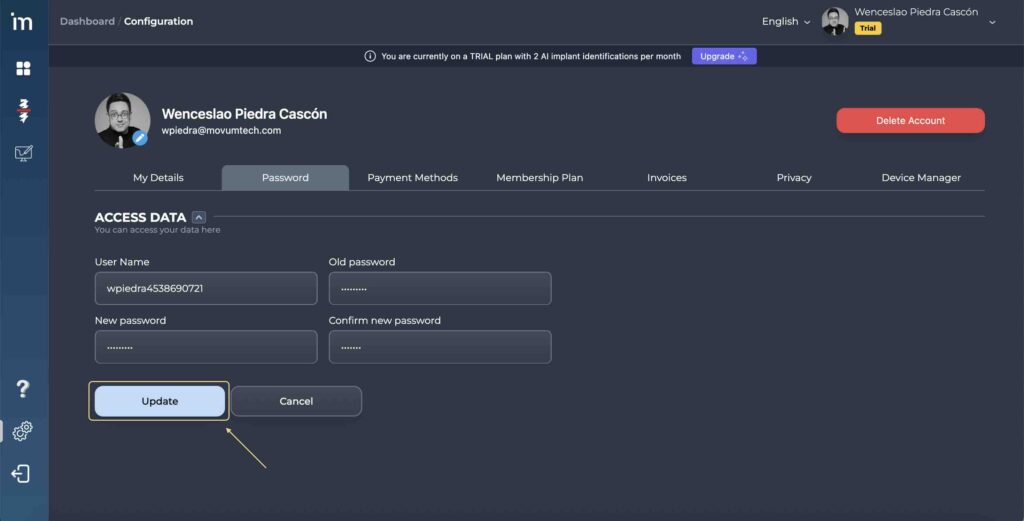
3️⃣ Finally, click the button Update.
Google y Apple ID
When you use the Google or Apple ID registration method, MovumStudio® connects your MovumStudio® account with your Google or Apple ID. This is what is known as a quick registration method.
In these cases:
- MovumStudio® never creates or stores a password for access to our platform.
- Authentication of your identity is carried out by Google or Apple.
- If you need to change your password, you will need to do so through your Google or Apple profile.